Google Drive Backup

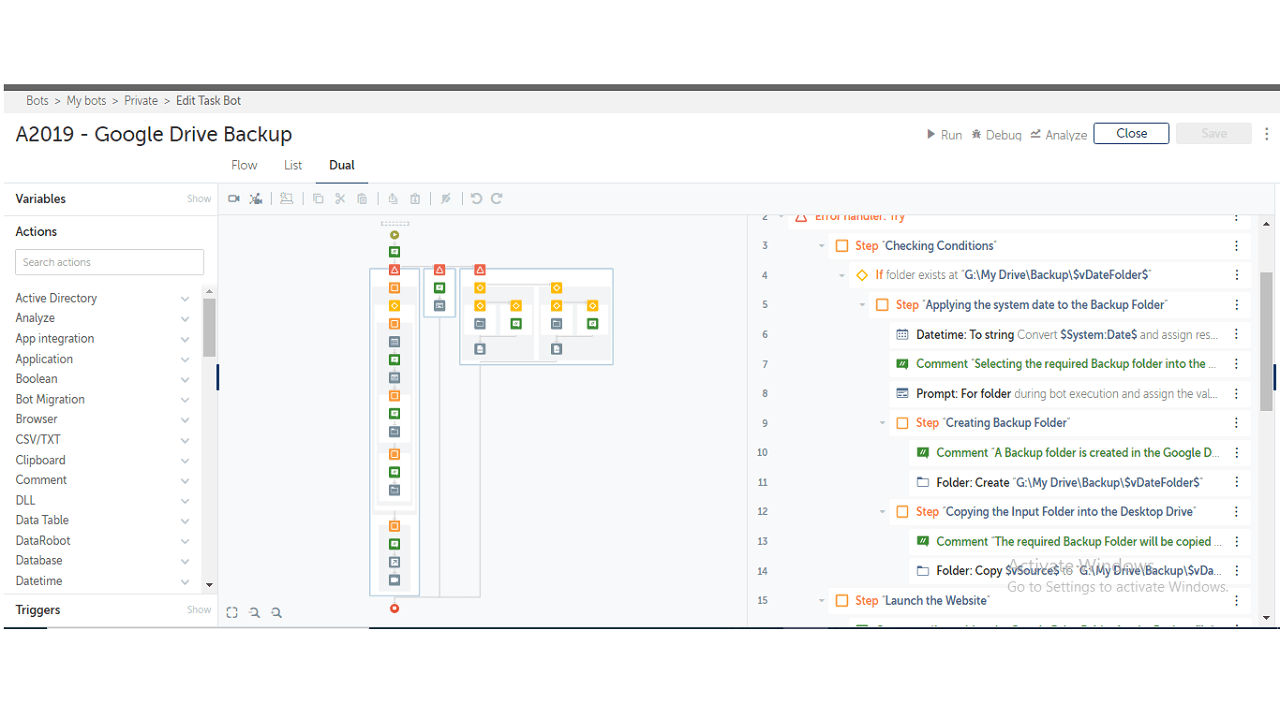
The bot prompts for the user to generate a backup folder with system data in Google Drive, which is used to store, synchronize, and share files

Top Benefits

  • Easy to access Backup files from the Google Drive anytime from anywhere
  • Can use the system data for finding required backup files from large number of data
  • Large number of files can be stored
  • No size restrictions for the files
Product video fallback

Tasks

  • The user can generate a backup folder in the Google Drive for storing files as backup
  • Prompts for the folder path and selects required folder
  • Folder will be copied from the user defined folder path to Google Drive
  • New backup folder with the system date will be generated inside the pre-defined folder at Google Drive
The bot prompts for the user to generate a backup folder with system date in Google Drive which is used to store files on their servers, synchronize files across devices, and share files, etc. It prompts for the folder path and selects the required folder. The folder will be copied and a backup folder will generate with the system data inside the pre-defined folder from google drive.

Setup process

Install

Download the Bot and follow the instructions to install it in your AAE Control Room.

Configure

Use the Bot in a bot, configure keys and other credentials the Bot will need (see the ReadMe for details.)

Run

That's it - now the Bot is ready to get going!

Requirements and Inputs

  • Any folder including files can be used as input for backup

Customer Reviews

0.0(0 reviews)

No reviews yet.