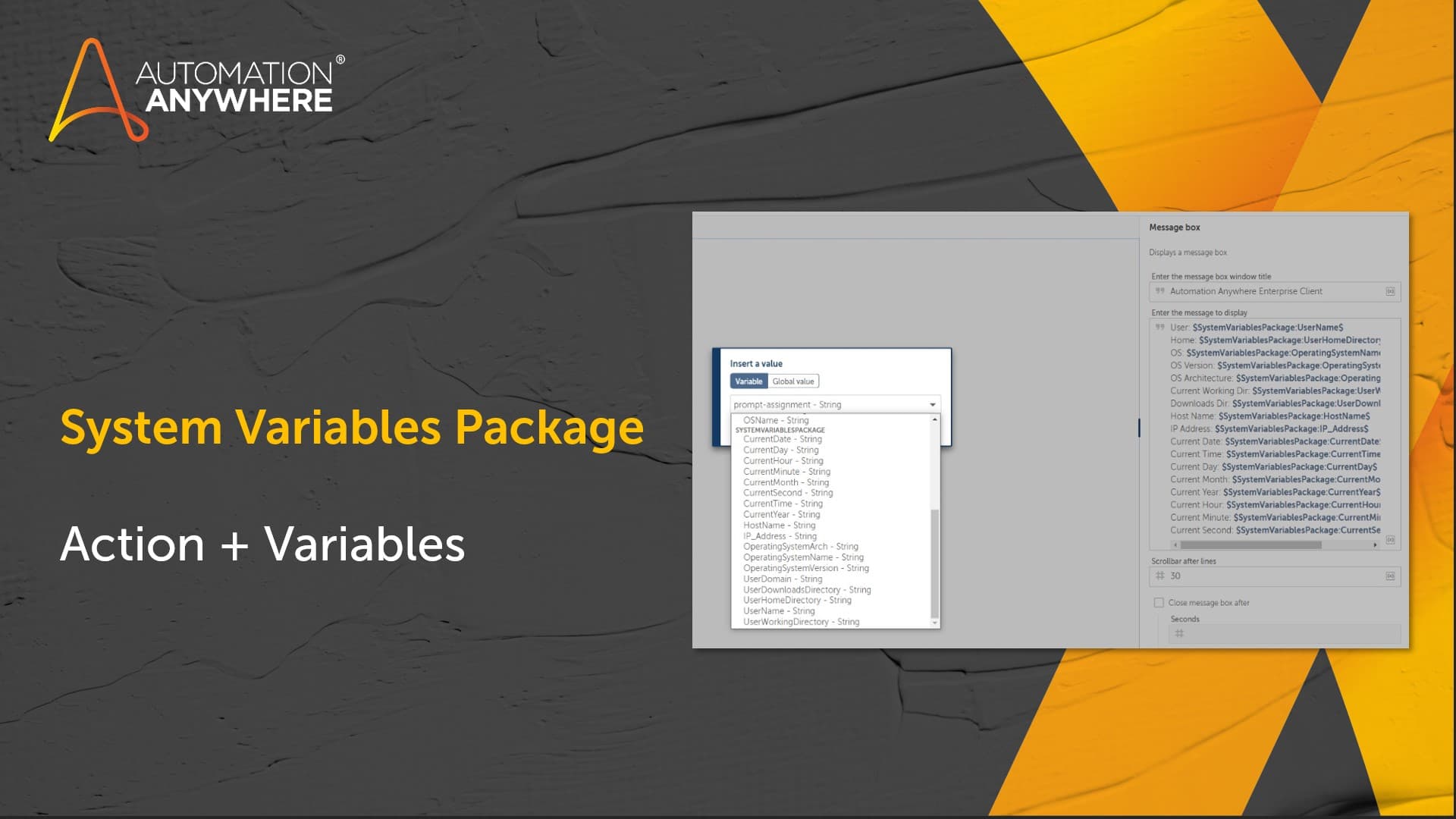
System Variables Package

Additional system variables available directly from the insert variables explorer or from a package action. <br> <br> The source code for this package is available on the <a href="https://github.com/AutomationAnywhere/A2019-SystemVariablesPackage-187751">Automation Anywhere GitHub page</a>

Top Benefits

  • No need to guess on system variables
  • Logging can be much more detailed and specific to the bot runner machine
  • Date/Time values available without extra conversion steps needed
Product video fallback

Actions

  • User details like username, downloads directory, current working directory
  • Machine details like machine name, OS, OS Version, and IP address
  • Date time details like full date/time as one element, or each of the individual elements (month, day, year, hour, etc)
The System Variables package can be used for referencing different bot runner specific values during logging, file downloads, and processing. Common use cases include: • Logging date/time values during processing in a customized format without additional date-time specific commands • Referencing the current user downloads directory • Tracking bot runner machine and user details in audit logging The source code for this package is available on the Automation Anywhere GitHub page

Setup process

Install

Download the Package and follow the instructions to install it in your AAE Control Room.

Configure

Use the Package in a bot, configure keys and other credentials the Package will need (see the ReadMe for details.)

Run

That's it - now the Package is ready to get going!

Requirements and Inputs

  • Automation Anywhere Enterprise A2019

Customer Reviews

0.0(0 reviews)

No reviews yet.