
Agentic Automation for Claims Adjudication
An agent-driven claims workflow that validates data, auto-adjudicates standard claims, routes exceptions to humans, and updates systems with faster decision.
Top Benefits
- Business Outcome Processing Time Reduction 60–75% faster turnaround time
- Up to 69% reduction in FTE effort for claims validation and adjudication.
- 80% manual effort savings in risk analysis and exception handling
- 85% straight-through processing rate achieved in automated workflows.
- 95%+ data extraction accuracy from unstructured PDFs using UiPath Document Understanding.
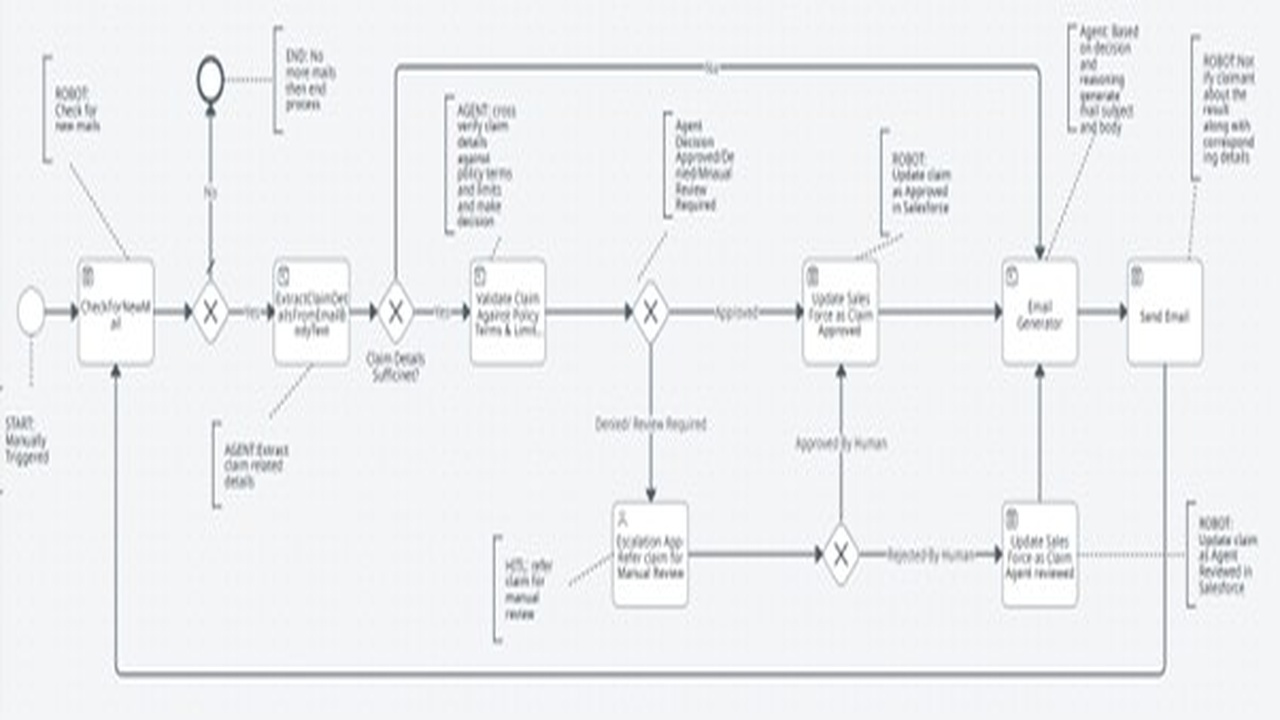
Tasks
- ClaimAdjudication_Main
- SalesForceEntry
- AI_EmailGenerator
- AI_ValidateClaimDetails
- AI_ExtractDetails
Input Stage:
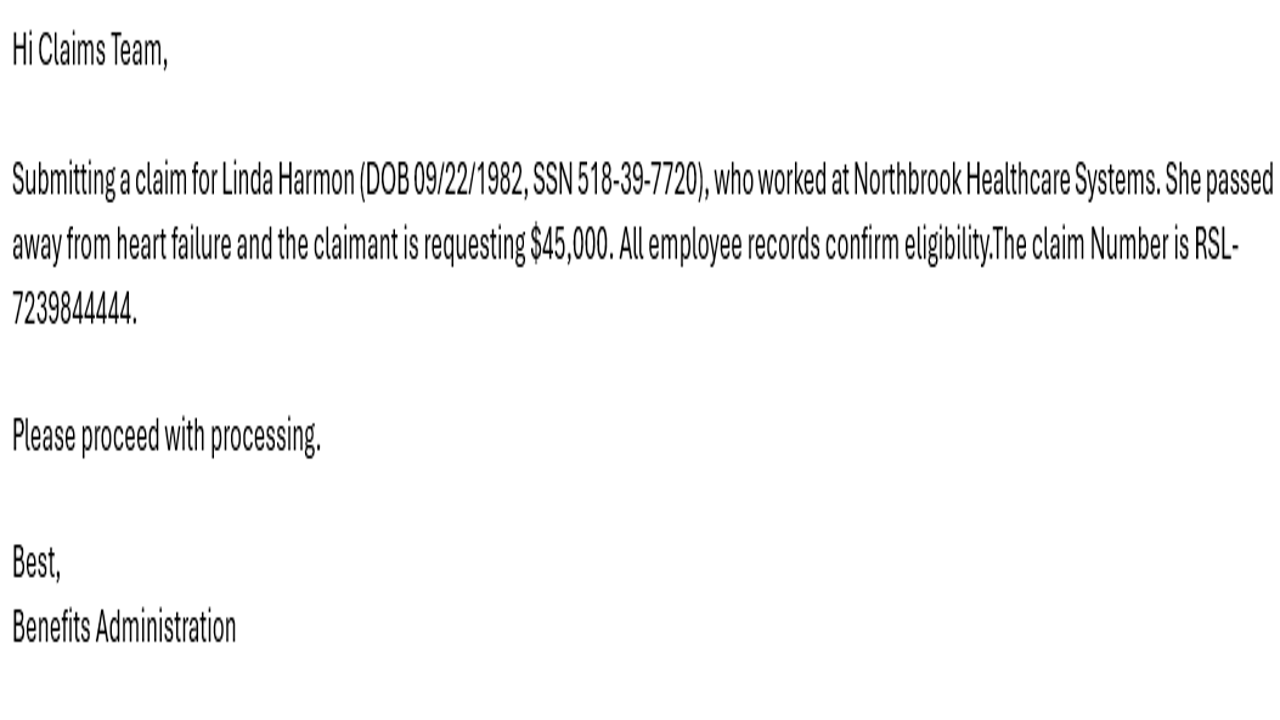
Claim details are received via email in either structured or unstructured formats. An agent validates the claim for completeness. If mandatory information is missing, an automated email is sent requesting the required details.
Processing Stage:
Complete claim details are validated against policy terms and coverage limits. Based on validation results, the agent decides whether to approve the claim automatically or route it for human review.
HITL (Human-in-the-Loop):
Claims flagged for review are assigned to a claim examiner. The examiner evaluates the claim and updates the decision in Salesforce.
End Processing:
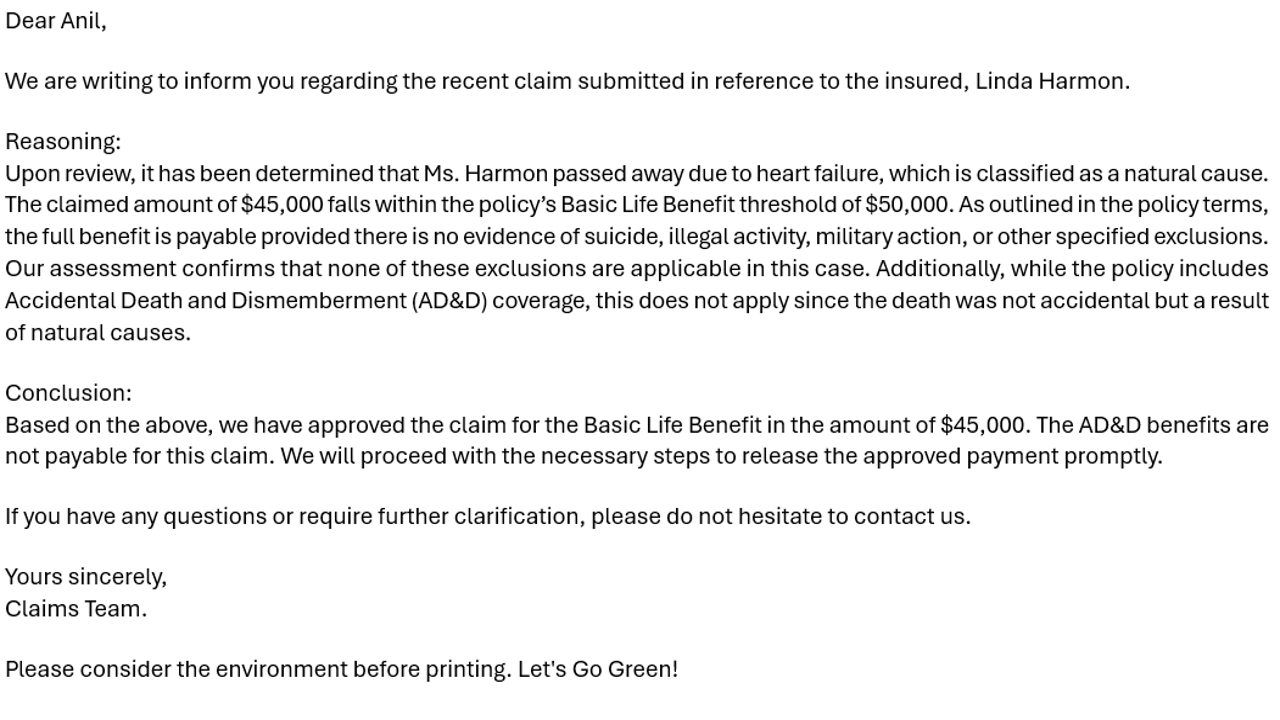
Based on the final decision, the claim is approved or rejected in Salesforce using an API call. A notification email is sent to the claimant communicating the approval or rejection outcome.

Success
The download of Agentic Automation for Claims Adjudication will begin shortly.
In your Control Room, use the ‘Import’ button to load the downloaded file into your Automations.
Free
- Ratings
-
4.0
 1
1
- Applications
-



- Business Process
- Customer Service & SupportInformation TechnologyRPA Development
- Category
- Cognitive AutomationHealthcareProductivity
- Vendor
- Pathfinder Community
- Automation Type
- AI Agent
- Last Updated
- February 13, 2026
- First Published
- January 21, 2026
- Platform
- Automation 360
- ReadMe
- ReadMe
- Support
-
- Community Support Only
- Pathfinder Community Developer Forum
- Agentic App Store FAQs
- Bot Security Program
-
 Level 1
Bot Security
Level 1
- All automations on Agentic App Store have passed a malware scan.
Bot Security Program
Automation Anywhere Bot Security is the APA industry's first of its kind bot security framework. In partnership with cyber security experts, Bot Security encompasses four (4) progressive levels of security designation. All automations including those built in-house or procured from Agentic App Store, can now be deployed reliably with secure automation development practices in alignment with prevailing Confidentiality, Integrity, and Availability (CIA) cybersecurity principles and best practices. View full Bot Security details.
See the AI Agent in Action
Setup Process
Install
Download the AI Agent and follow the instructions to install it in your AAE Control Room.
Configure
Open the Bot to configure your username and other settings the Bot will need (see the Installation Guide or ReadMe for details.)
Run
That's it - now the AI Agent is ready to get going!
Requirements and Inputs
- 1. Config File and Policy Terms file is updated to AA Control Room
- 2.Local machine should have Folder structure for Logs "C:UsersUSERNAMEDocumentsAA BountyClaim AdjudicationLogs"
- 3.Email Subject should contain Wording "Claim"
- 4.Outlook should contain email with all details of claim
- 5.Requires Outlook in the bot run machine
Customer Reviews

