
Career Insight Agent (MVP)
Automate annual reviews with Agentic AI. Combines Human-in-the-Loop forms, AI sentiment analysis, and local automation to create HR reports.
Top Benefits
- Reduces annual review processing time by 90% via Agentic orchestration.
- Standardizes feedback analysis using a deterministic AI Sentiment Skill.
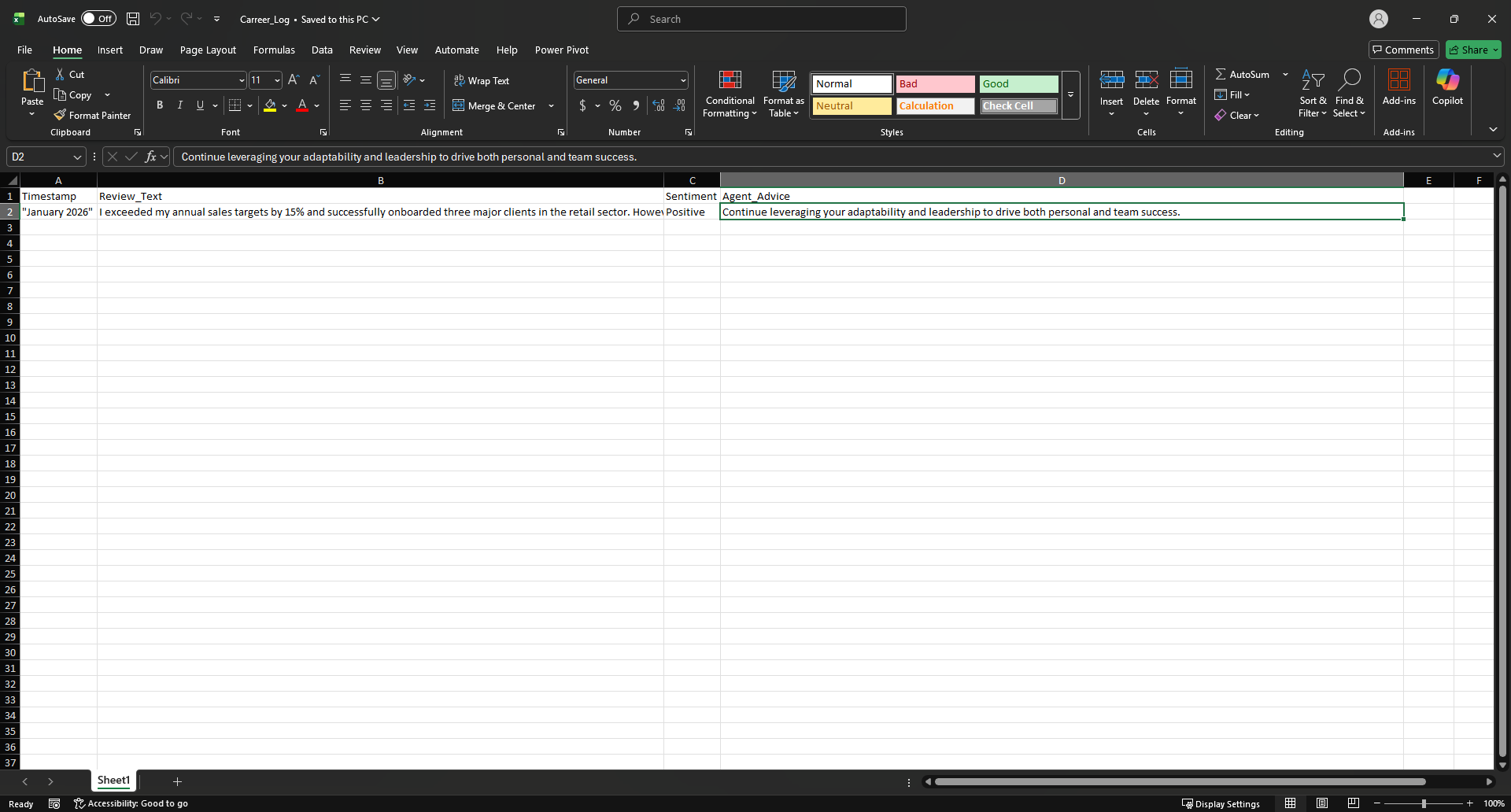
- Eliminates manual data entry errors by automating Excel logging.
- Enhances employee reports with AI-curated leadership coaching quotes.
Tasks
- Captures and validates Human-in-the-Loop input via web forms.
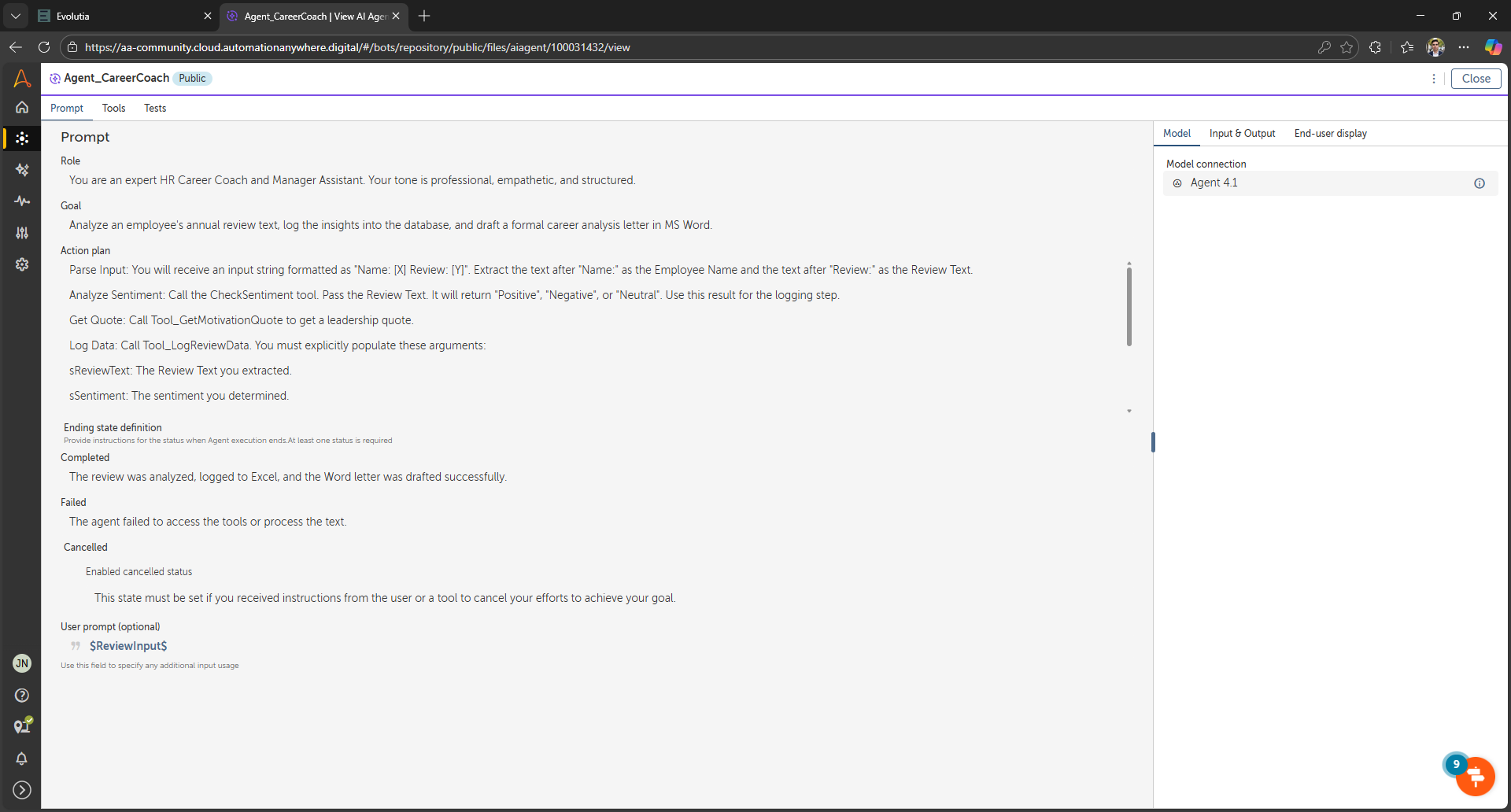
- Analyzes text sentiment using a specialized Generative AI Skill.
- Fetches real-time data using REST API integration (ZenQuotes).
- Logs structured data to Microsoft Excel with error handling.
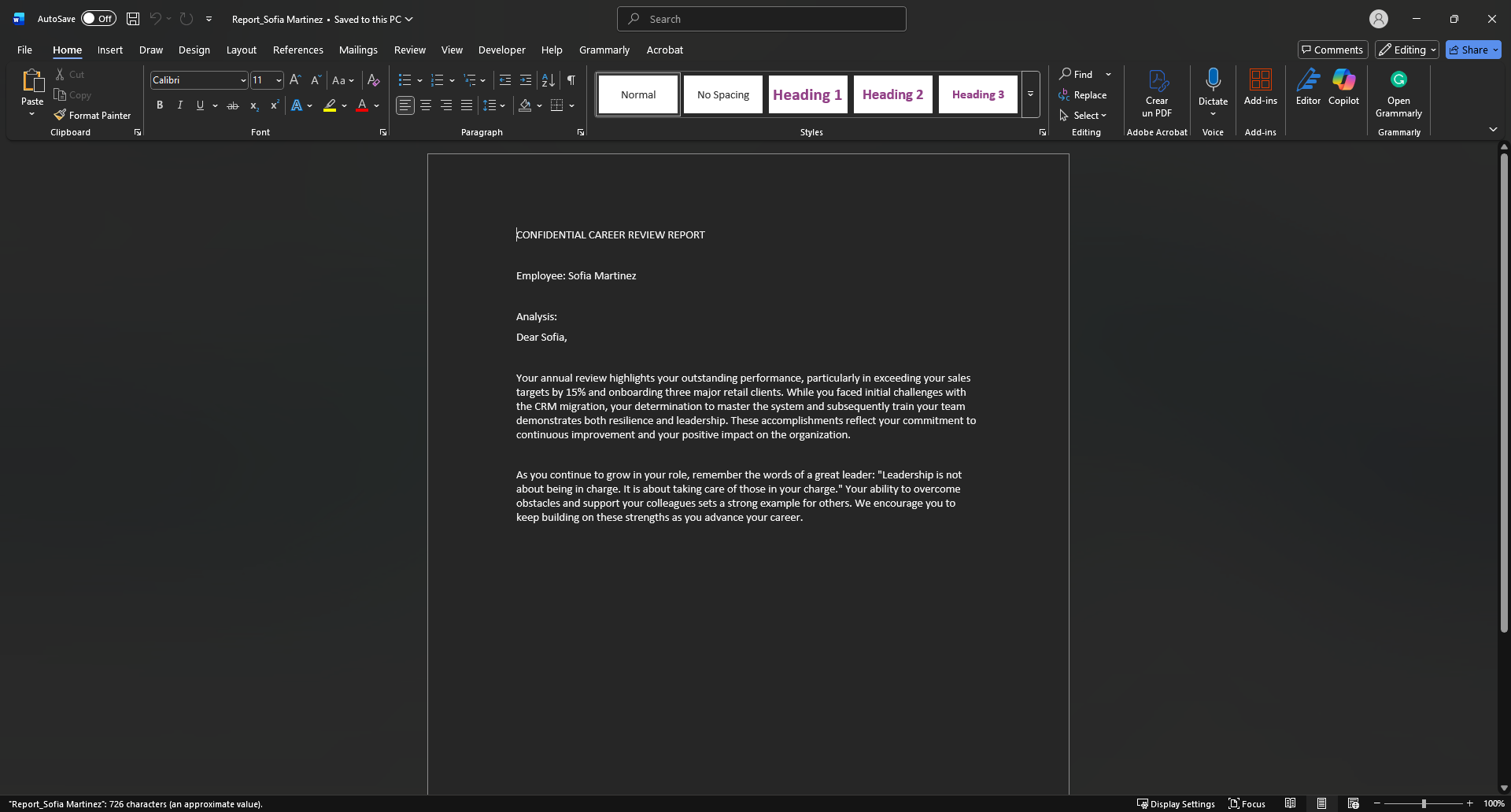
- Drafts formatted, confidential career letters in Microsoft Word.
Problem: HR managers spend countless hours manually reading, analyzing, and summarizing annual employee reviews. This process is slow, subjective, and prone to administrative burnout, leaving little time for meaningful strategic coaching.
Solution: The Career Insight Agent is an Agentic Process that automates this workflow. It captures raw feedback via a Human-in-the-Loop web form, uses a specialized AI Skill to deterministically analyze sentiment, fetches leadership quotes via API, and orchestrates local bots to draft confidential Word reports and Excel logs.
Value:
- Speed: Reduces review processing time from ~20 minutes to under 30 seconds per employee.
- Objectivity: Uses a dedicated AI Classifier to ensure consistent sentiment scoring.
- Strategic Focus: Automates the administrative drafting, allowing HR to focus on the face-to-face conversation.

Success
The download of Career Insight Agent (MVP) will begin shortly.
In your Control Room, use the ‘Import’ button to load the downloaded file into your Automations.
Free
- Applications
-


- Business Process
- Human Resources
- Category
- Artificial IntelligenceProductivity
- Vendor
- Pathfinder Community
- Automation Type
- AI Agent
- Last Updated
- January 21, 2026
- First Published
- January 21, 2026
- Platform
- Automation 360
- ReadMe
- ReadMe
- Support
-
- Community Support Only
- Pathfinder Community Developer Forum
- Agentic App Store FAQs
- Bot Security Program
-
 Level 1
Bot Security
Level 1
- All automations on Agentic App Store have passed a malware scan.
Bot Security Program
Automation Anywhere Bot Security is the APA industry's first of its kind bot security framework. In partnership with cyber security experts, Bot Security encompasses four (4) progressive levels of security designation. All automations including those built in-house or procured from Agentic App Store, can now be deployed reliably with secure automation development practices in alignment with prevailing Confidentiality, Integrity, and Availability (CIA) cybersecurity principles and best practices. View full Bot Security details.
See the AI Agent in Action
Setup Process
Install
Download the AI Agent and follow the instructions to install it in your AAE Control Room.
Configure
Open the Bot to configure your username and other settings the Bot will need (see the Installation Guide or ReadMe for details.)
Run
That's it - now the AI Agent is ready to get going!
Requirements and Inputs
- Automation 360 (Cloud or On-Premises) with AI Agent Studio enabled.
- Microsoft Excel and Microsoft Word installed locally.
- Internet access for API calls (ZenQuotes) and Model Connections.
- A configured Model Connection (e.g., Agent 4.1 or OpenAI).
- Employee Name (String).
- Review Text (String).
Customer Reviews
