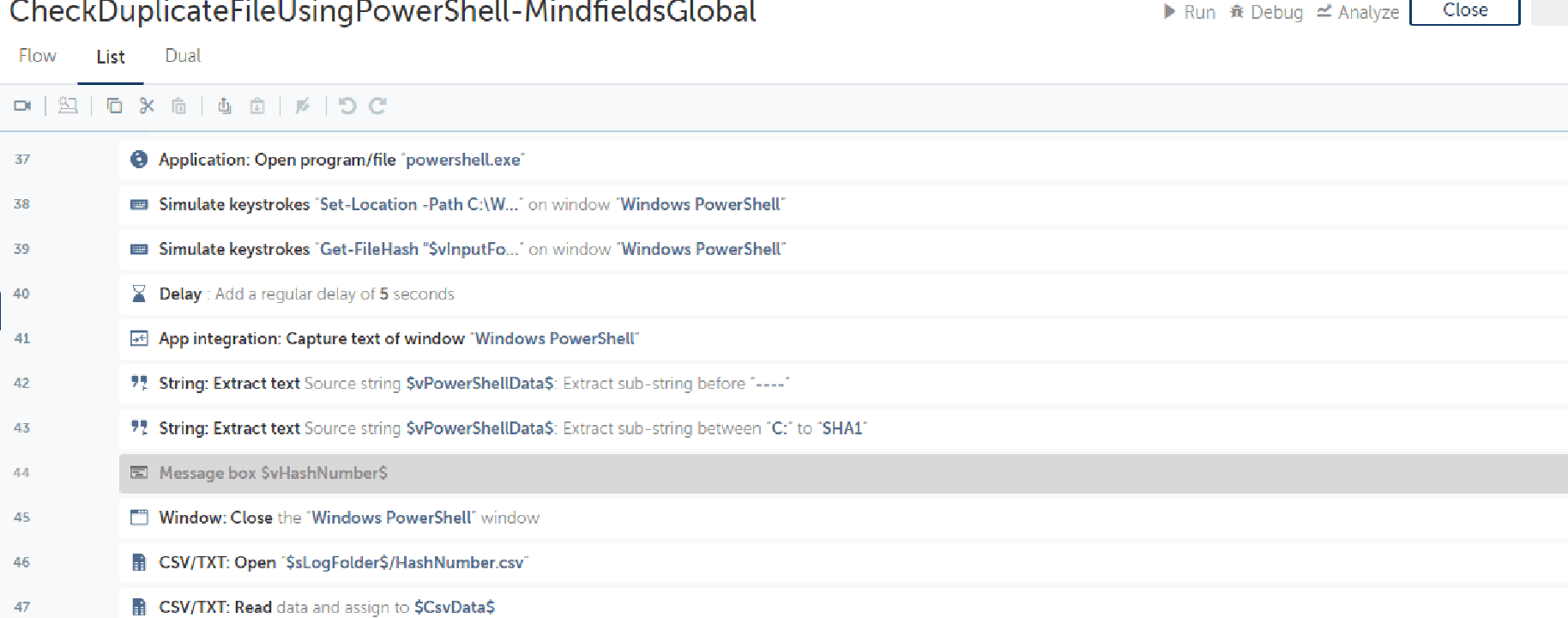
This bot performs the following:
- This bot removes duplicate files by using Windows PowerShell application.
Top Benefits
One of our postal, retail, financial and travel services Client had requirement to remove Duplicate Files.
Improve financial team productivity by up to 20%.
Fast, efficient whenever you need it
100% accurate in checking of duplication of file.
Tasks
Pick the file from the Input folder.
Create a batch number for each file using powershell & store it.
Notify the user if any duplicate file is placed under Input folder.
This Bot removes duplicate files by using Windows PowerShell application.
Pre-Requisites
- Automation Anywhere Enterprise Automation 360
-Permission to create folders and delete files
Input: Place files in the input folder to check and delete if any duplicate file exists.
Output: Output file Hashnumber.csv will store filenames and file’s Hash numbers under the logs folder.
- Once the bot is configured. Please execute the bot by clicking on Run.
- The bot will create the required folders under the path specified in $sRootLogDirectory$ variable.
- The bot will look for the file under $sRootLogDirectory$Input folder.
- The bot will further pick the specified file, run the PowerShell command to check if it a duplicate or not.
Key Use Case: One of our postal, retail, financial and travel services Client had a requirement to remove Duplicate Files
See the Bot in Action
Setup process
Install
Download the Bot and follow the instructions to install it in your AAE Control Room.
Configure
Use the Bot in a bot, configure keys and other credentials the Bot will need (see the ReadMe for details.)
Run
That's it - now the Bot is ready to get going!
Requirements and Inputs
'- Automation Anywhere Enterprise Automation 360 or above