
Employee Onboarding
AI-powered employee onboarding system automates email processing, extracts document data, flags errors for review, and sends confirmation emails to HR.
Top Benefits
- Reduces manual effort for HR teams
- Improves data accuracy and consistency
- Automatically filters onboarding-related emails
- Extracts employee information from documents
- Reduces operational costs
Tasks
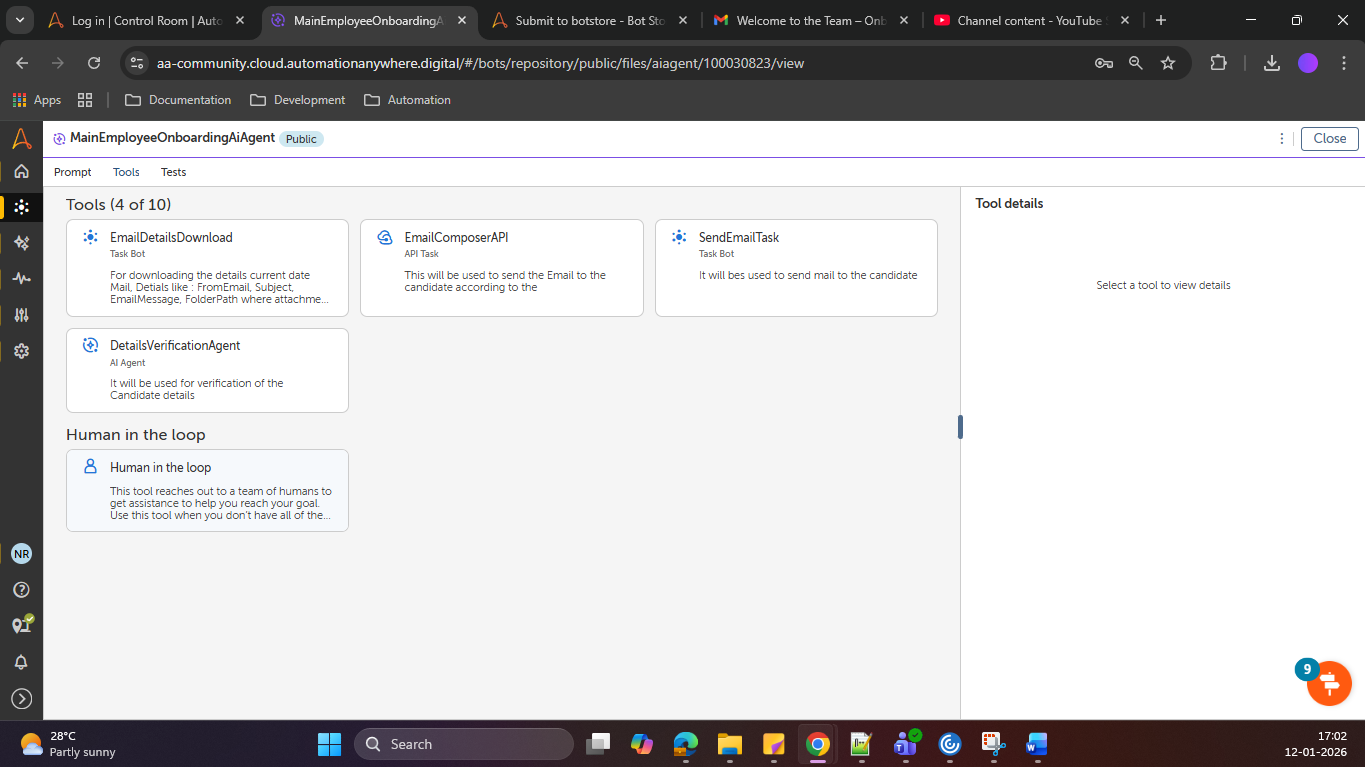
- Email Action to Download the attachment and email details.
- AI skill for composing the mail
- AI skill for formatting the data and extracting the important data.
- PDF extraction action to extract information.
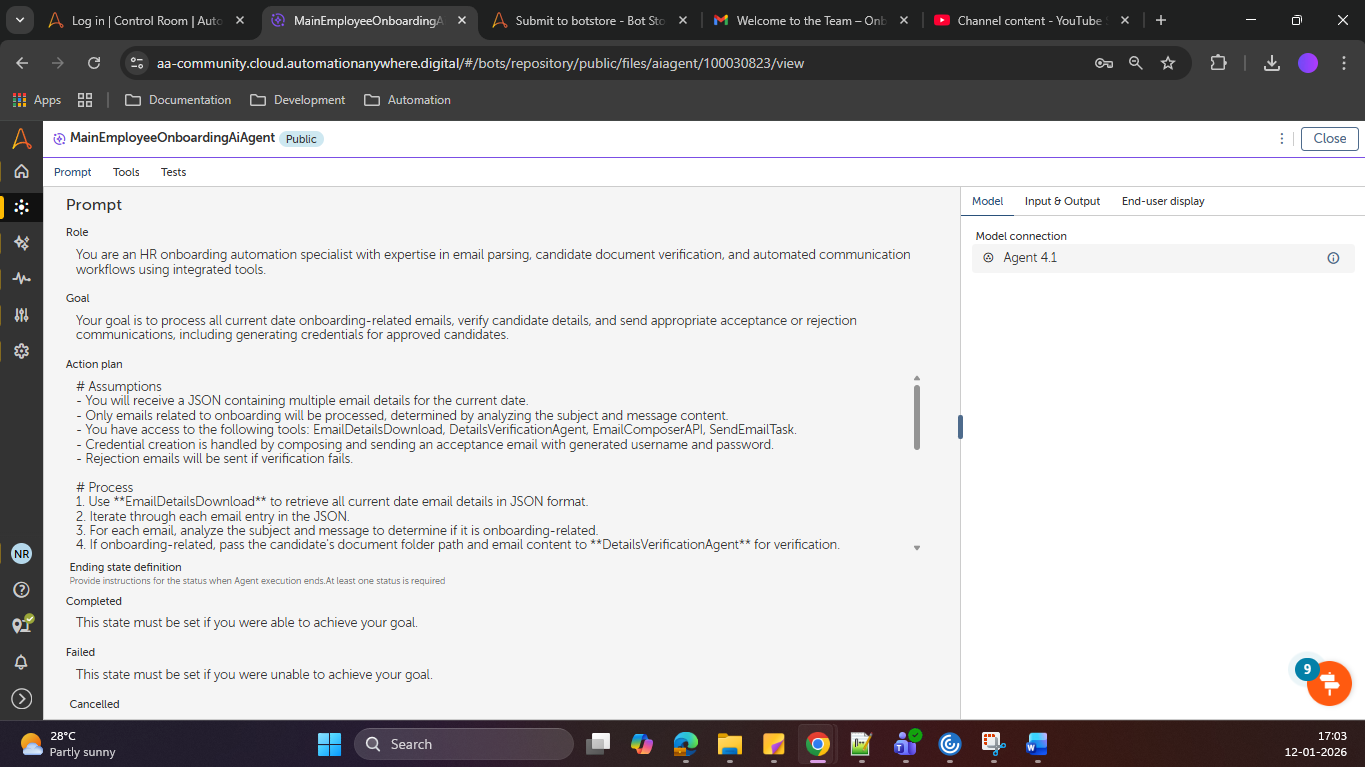
- AI Agent to run all this tools.
- API task to run the AI skills.
- Folder action to store the attachment respective to candidate.
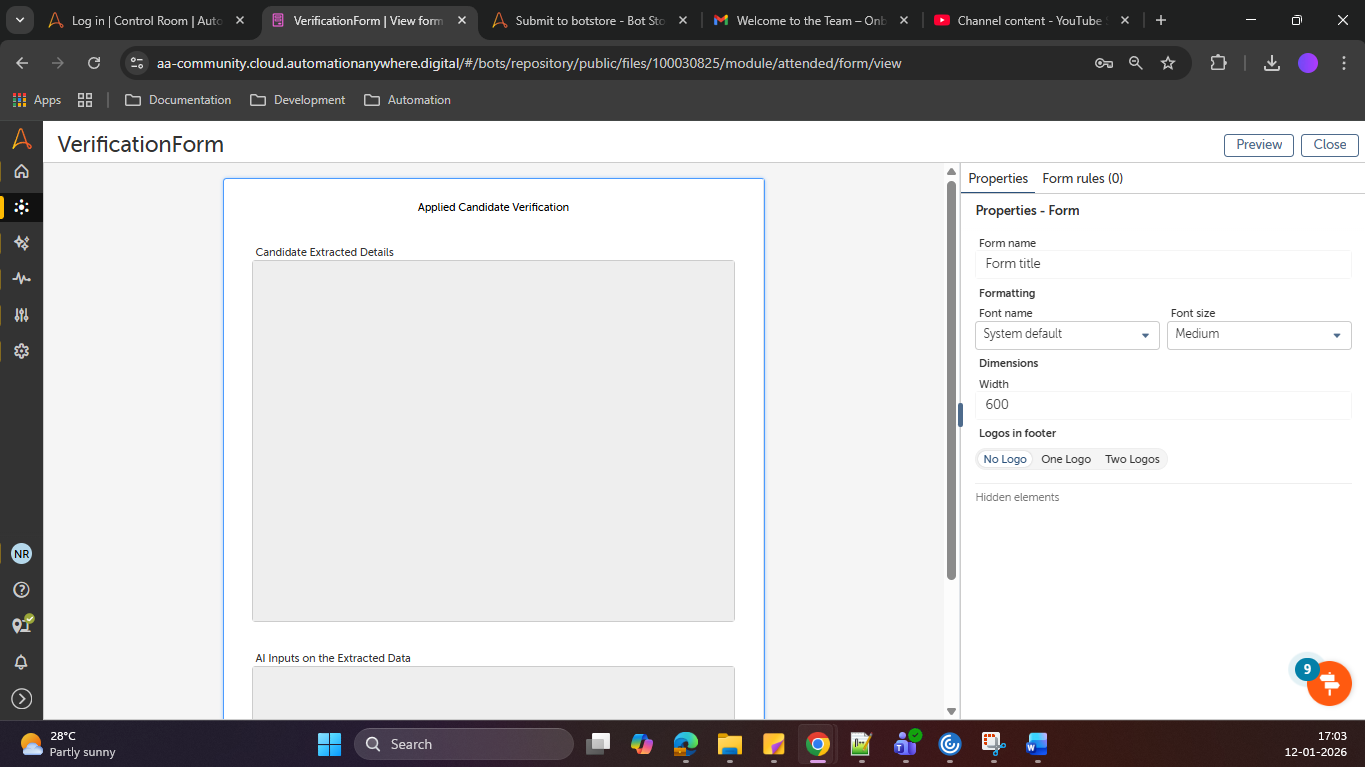
- Forms for Human Validation.
The project is an AI-powered Employee Onboarding Automation system designed to streamline and simplify the onboarding process for HR teams. The system automatically downloads the latest emails and attachments from the HR mailbox and uses AI to understand whether an email is related to employee onboarding. Relevant emails are processed further, while non-onboarding emails are filtered out.
The solution extracts employee details from attached documents using AI-based document understanding and validates the extracted information for accuracy and completeness. If any errors or missing data are detected, the case is routed to human verification to ensure correctness. Once verified, the onboarding process resumes automatically.
The system also sends automated emails for successful onboarding and notifications to HR, ensuring timely communication. AI Agents orchestrate the workflow, while API tasks handle email access, document retrieval, and communication. Overall, the project reduces manual effort, improves accuracy, accelerates onboarding timelines, and enhances the overall efficiency of HR operations through intelligent automation.

Success
The download of Employee Onboarding will begin shortly.
In your Control Room, use the ‘Import’ button to load the downloaded file into your Automations.
Free
- Ratings
-
5.0
 9
9
- Applications
-


- Business Process
- Human ResourcesSupply Chain Management
- Category
- Artificial IntelligenceProductivityUtility
- Downloads
- 33
- Vendor
- Pathfinder Community
- Automation Type
- AI Agent
- Last Updated
- February 13, 2026
- First Published
- January 21, 2026
- Platform
- Automation 360
- ReadMe
- ReadMe
- Support
-
- Pathfinder Community
- Mon, Tue, Wed, Thu, Fri 9:00-17:00 UTC+0
- botstore@automationanywhere.com
- Agentic App Store FAQs
- Bot Security Program
-
 Level 1
Bot Security
Level 1
- All automations on Agentic App Store have passed a malware scan.
Bot Security Program
Automation Anywhere Bot Security is the APA industry's first of its kind bot security framework. In partnership with cyber security experts, Bot Security encompasses four (4) progressive levels of security designation. All automations including those built in-house or procured from Agentic App Store, can now be deployed reliably with secure automation development practices in alignment with prevailing Confidentiality, Integrity, and Availability (CIA) cybersecurity principles and best practices. View full Bot Security details.
See the AI Agent in Action
Setup Process
Install
Download the AI Agent and follow the instructions to install it in your AAE Control Room.
Configure
Open the Bot to configure your username and other settings the Bot will need (see the Installation Guide or ReadMe for details.)
Run
That's it - now the AI Agent is ready to get going!
Requirements and Inputs
- Folder Path to store the downladed attachement.
Customer Reviews
