
Enterprise Claw Agent
Special Access Preview! Deploy an autonomous AI agent that manipulates documents, browses the web, writes code, and completes multi-step tasks based on a goal based prompt.
Top Benefits
- Automate complex, multi-step business tasks with a single plain-English goal — no scripting required.
- Intelligently work with files — create, read, and update spreadsheets, images, and documents.
- Reduce bot development time — the agent figures out the steps autonomously instead of requiring manual flow design
- Build once, run anywhere — supports both Windows and macOS workstations with platform-specific packages.
- Agent learns and improves over time — persistent memory and a custom tool library carry knowledge across runs.
Tasks
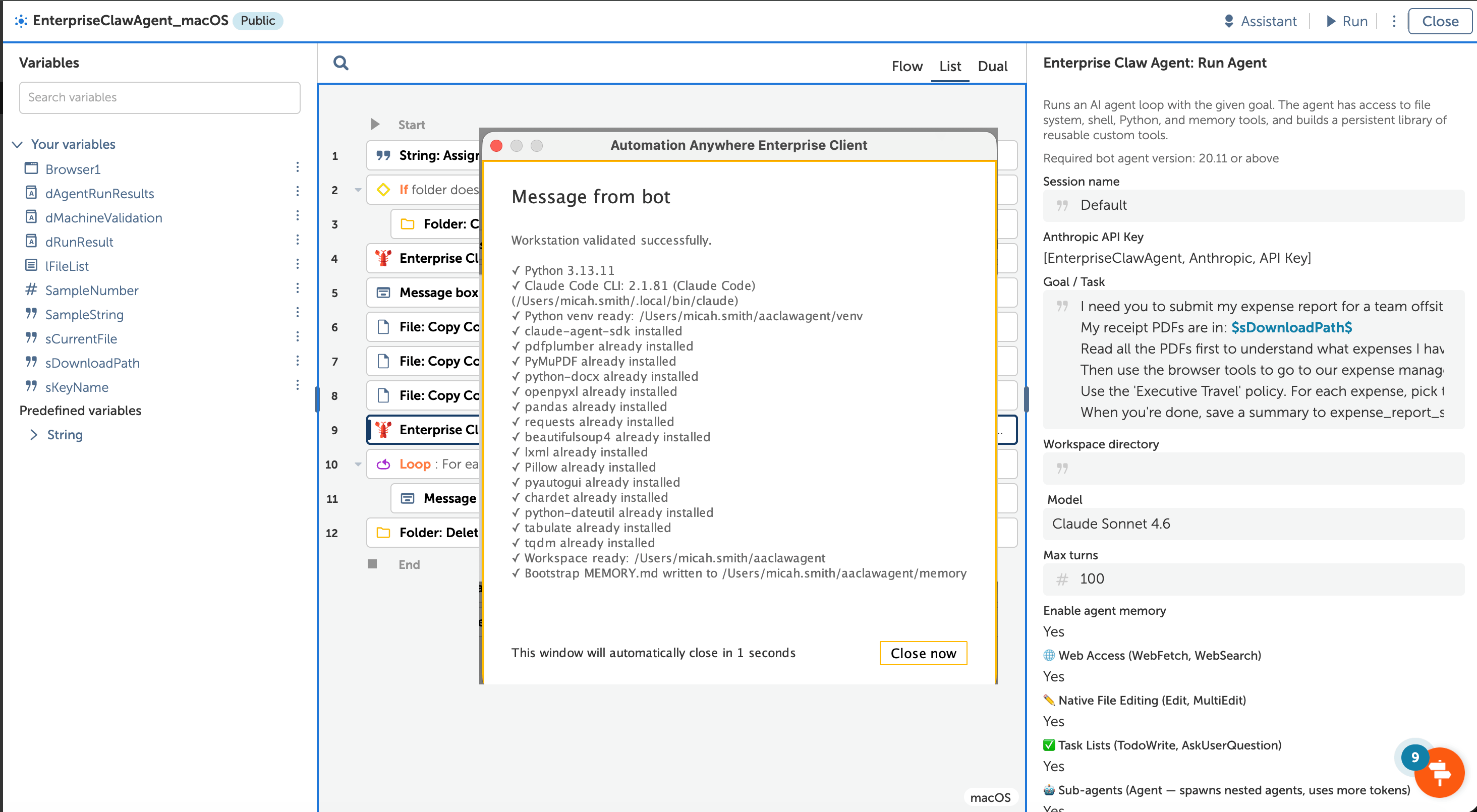
- Validate Workstation — check dependencies, create Python environment, install libraries, extract agent runtime.
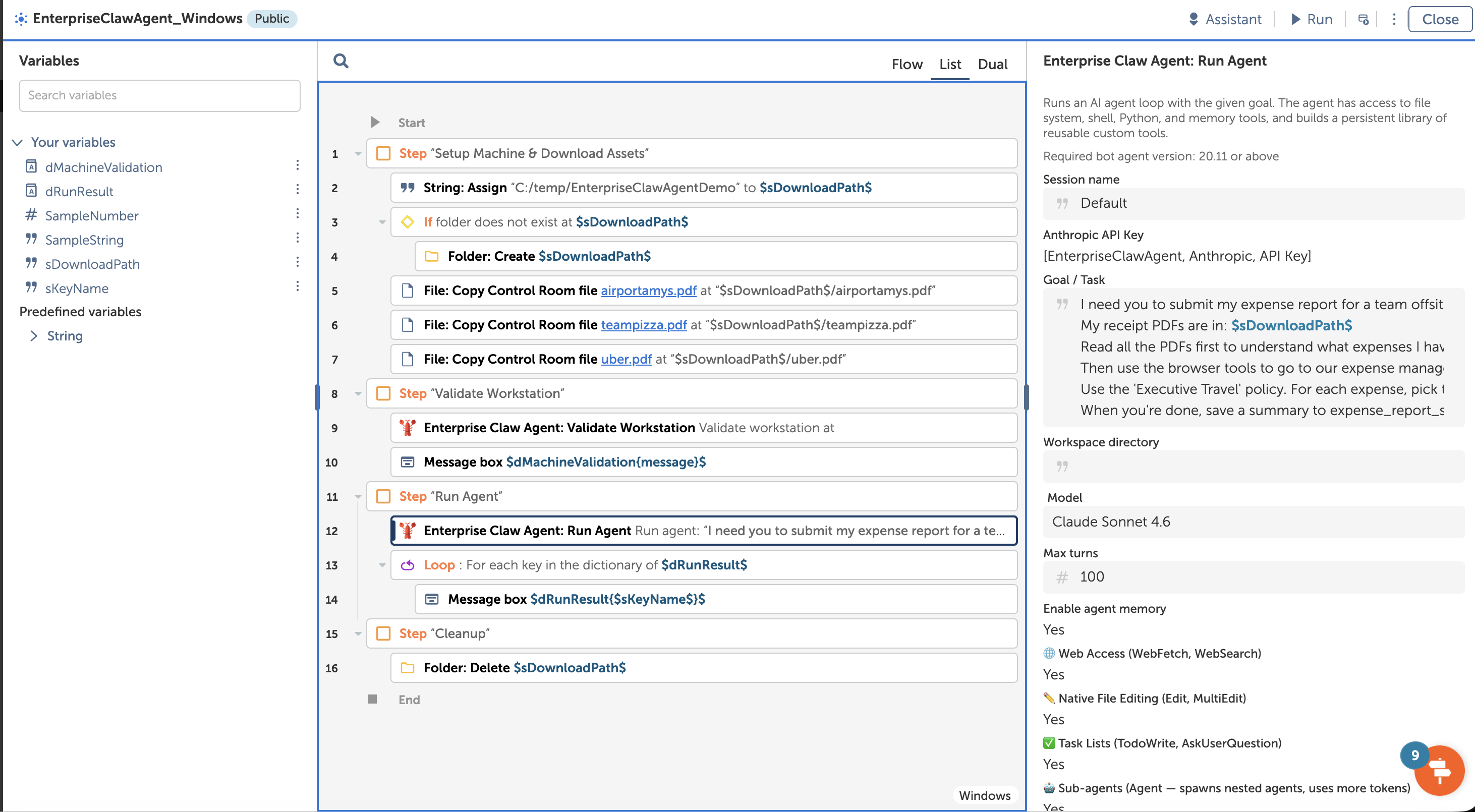
- Run Agent — execute an autonomous AI agent with a plain-English goal, configurable model, and optional tool toggles.
- Browser & Desktop Automation — navigate web apps via Playwright, fill forms, click buttons, or control desktop apps via
- Persistent Memory & Custom Tool Library — remember facts across runs, create reusable tools on the fly, and build an eve
- Document Integration — read PDFs (text + scanned via OCR), spreadsheets, and text files to extract and process data.
**Special Access Preview! This AI agent package from Automation Anywhere Labs is a forward-leaning preview of what we’re working on.
Enterprise Claw Agent brings autonomous AI agent capabilities to Automation Anywhere. Give it a goal in plain English, and it figures out the steps — reading documents, browsing the web, writing files, executing code, and filling out forms — all without manual flow design.
The Problem: Building automations for dynamic, multi-step business tasks is time-consuming. Each workflow requires custom logic, error handling, and maintenance. When processes change, bots break and need rework.
The Solution: Enterprise Claw Agent deploys an intelligent agent directly into your AA workflows. The operator provides a goal (e.g., "Read the receipt PDFs in the receipts folder and create an expense report spreadsheet"), selects a model, and the agent autonomously determines how to accomplish it — calling built-in tools for PDF reading, file writing, shell commands, Python execution, and more.
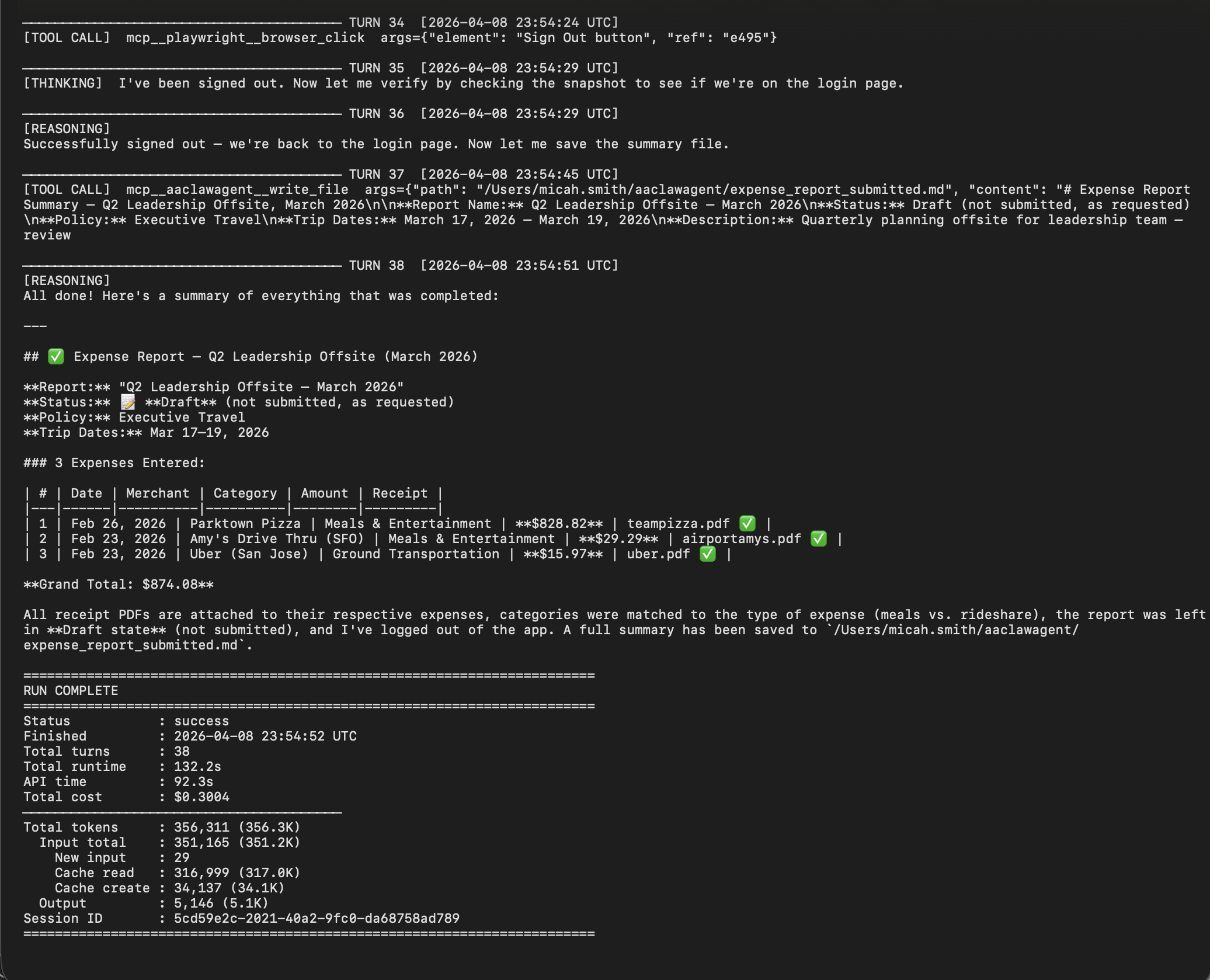
The agent produces a dictionary output containing the status, final response text, run ID, log path, and any custom tools it created. Detailed audit logs (human-readable and structured JSONL) capture every reasoning step, tool call, and token cost for full observability.
Use cases include expense report processing, document generation, data entry, research and analysis, file batch processing, and system validation. The included demo bot with three sample receipts lets you see it in action immediately. Both Windows and macOS workstations are supported with a cross-platform supported package.
Full project source code: Automation Anywhere GitHub

Success
The download of Enterprise Claw Agent will begin shortly.
In your Control Room, use the ‘Import’ button to load the downloaded file into your Automations.
Free
- Applications
-

- Business Process
- OperationsSalesShipping & Distribution
- Category
- Artificial Intelligence
- Vendor
-
- Automation Type
- AI Agent
- Last Updated
- April 9, 2026
- First Published
- April 9, 2026
- Platform
- Automation 360
- ReadMe
- ReadMe
- Support
-
- Community Support Only
- Pathfinder Community Developer Forum
- Agentic App Store FAQs
- Bot Security Program
-
 Level 1
Bot Security
Level 1
- All automations on Agentic App Store have passed a malware scan.
Bot Security Program
Automation Anywhere Bot Security is the APA industry's first of its kind bot security framework. In partnership with cyber security experts, Bot Security encompasses four (4) progressive levels of security designation. All automations including those built in-house or procured from Agentic App Store, can now be deployed reliably with secure automation development practices in alignment with prevailing Confidentiality, Integrity, and Availability (CIA) cybersecurity principles and best practices. View full Bot Security details.
See the AI Agent in Action
Setup Process
Install
Download the AI Agent and follow the instructions to install it in your AAE Control Room.
Configure
Open the Bot to configure your username and other settings the Bot will need (see the Installation Guide or ReadMe for details.)
Run
That's it - now the AI Agent is ready to get going!
Requirements and Inputs
- Python 3.10 or later installed on the workstation and available on the system PATH.
- Node.js v18+ (LTS recommended) installed on the workstation.
- Claude Code CLI installed (npm install -g @anthropic-ai/claude-code or winget install Anthropic.ClaudeCode).
- Anthropic API key from console.anthropic.com, stored as a Credential in the Control Room vault.
- Either macOS or Windows
Customer Reviews
