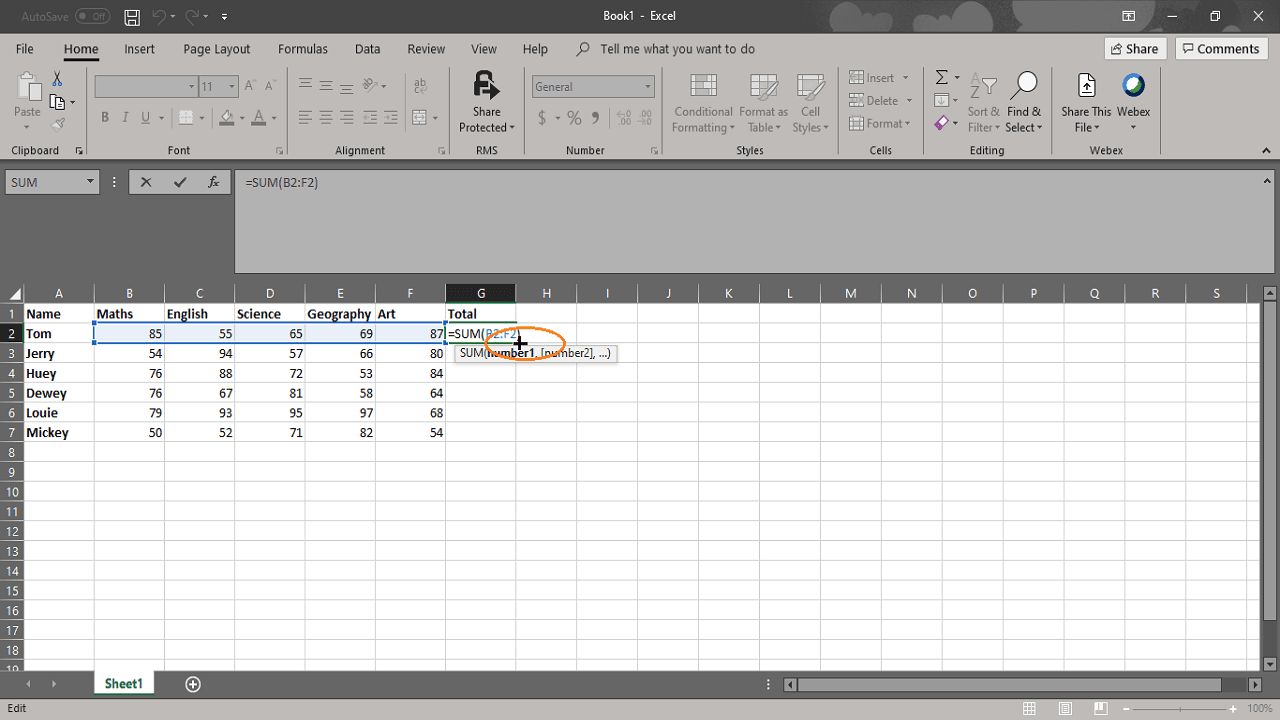
This bot will take an Excel formula and drag it to additional cells as specified by the user.
Top Benefits
Reduce development time
Appropriate logging
Reduce automation execution time
Tasks
Writes provided formula to the selected cells
Applies formula to all the cells in column if to cell value is not provided
Saves the Excel
This bot will take an Excel formula and drag it to additional cells as specified by the user. If a user wants to apply the formula until the end of the column, then the user can set “to cell” (variable-vExcelCellTo) value blank, so the bot will drag the formula to the end of the column.
See the Bot in Action
Setup process
Install
Download the Bot and follow the instructions to install it in your AAE Control Room.
Configure
Use the Bot in a bot, configure keys and other credentials the Bot will need (see the ReadMe for details.)
Run
That's it - now the Bot is ready to get going!
Requirements and Inputs
Input data about which formula to copy and where to paste it.