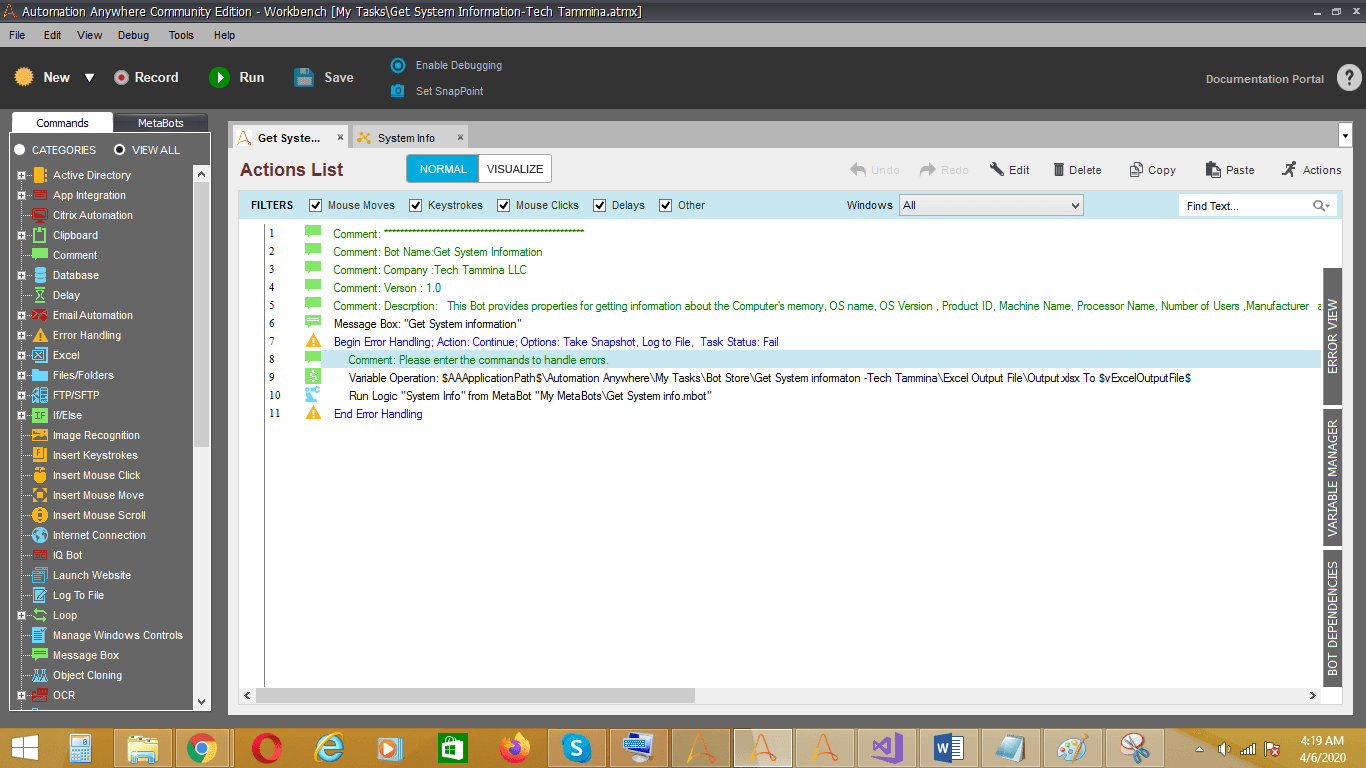
Get Computer System Information

This bot provides properties for getting information about the computer's memory, OS name, OS version, product ID, machine name, processor name, etc

Top Benefits

  • This bot provides properties for getting information about the computer
  • Gets the platform identifier for the operating system of the computer
  • Gets the version of the computer's operating system
  • Gets the total amount of free physical memory for the computer
Product video fallback

Tasks

  • Gets the version of the computer's operating system
  • Gets the platform identifier for the operating system of the computer
This Bot provides properties for getting information about the computer's memory, OS name, OS version, product ID, machine name, processor name, number of users, manufacturer, and operating system. OS platform: Gets the platform identifier for the operating system of the computer. OS version: Gets the version of the computer's operating system. Available physical memory: Gets the total amount of free physical memory for the computer.

Setup process

Install

Download the Bot and follow the instructions to install it in your AAE Control Room.

Configure

Use the Bot in a bot, configure keys and other credentials the Bot will need (see the ReadMe for details.)

Run

That's it - now the Bot is ready to get going!

Requirements and Inputs

  • Provide Excel file path
  • Provide file path (E.g. C:UserDesktopOutput.xslx)

Customer Reviews

0.0(0 reviews)

No reviews yet.