
Insurance Claim Agent
An agentic A360 process uses GenAI Vision to extract and validate insurance claims against policy rules and automatically emails the insurer for processing
Top Benefits
- Enables end-to-end automation, reducing manual effort and operational costs
- Improves accuracy and consistency through AI-driven policy validation
- Accelerates claim processing and insurer communication
- Ensures compliance with company rules while scaling effortlessly with volume
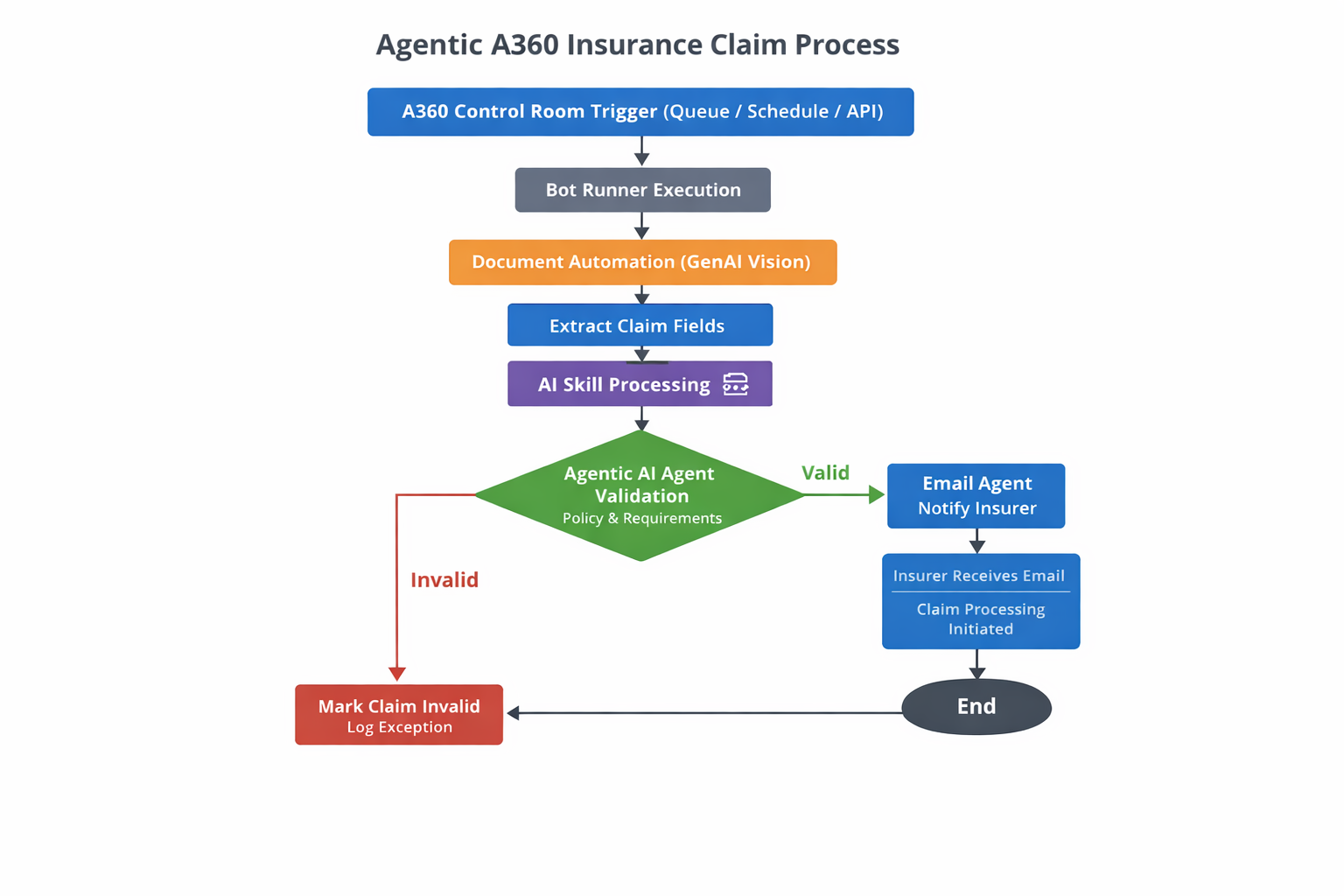
Tasks
- Document automation extraction
- Document automation download extracted data and read data from .CSV
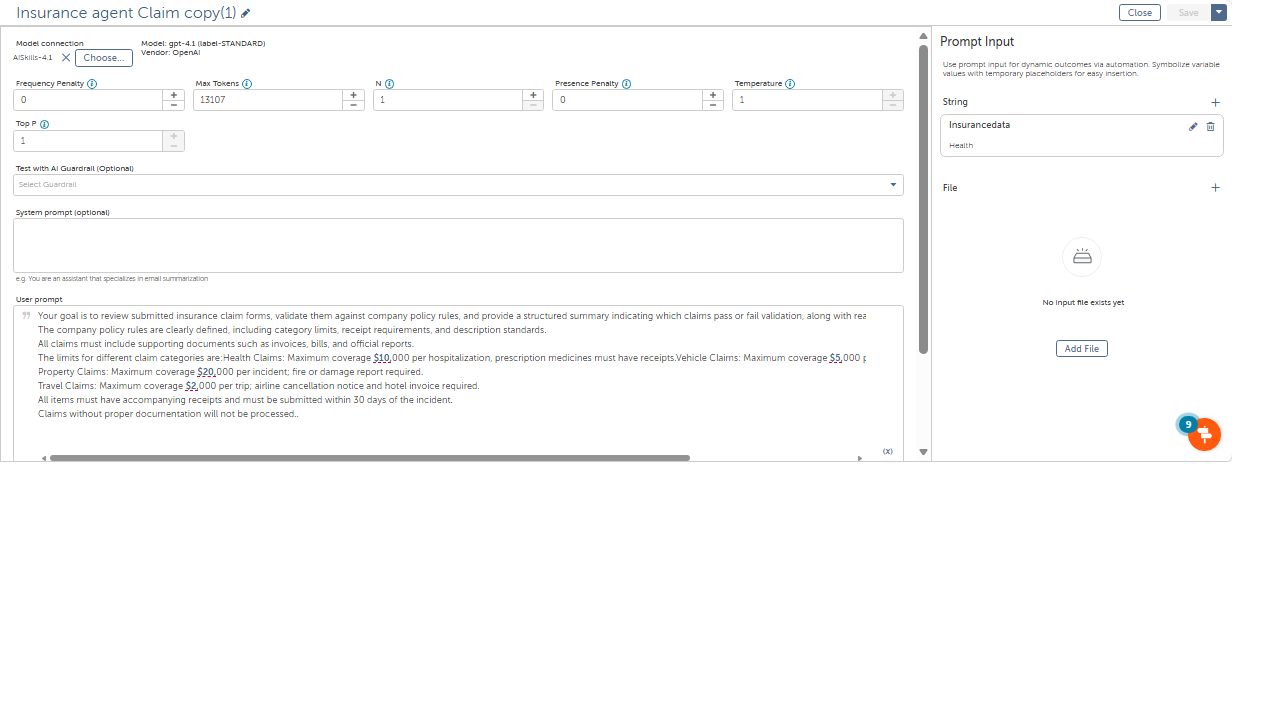
- Pass the field values to AI skill
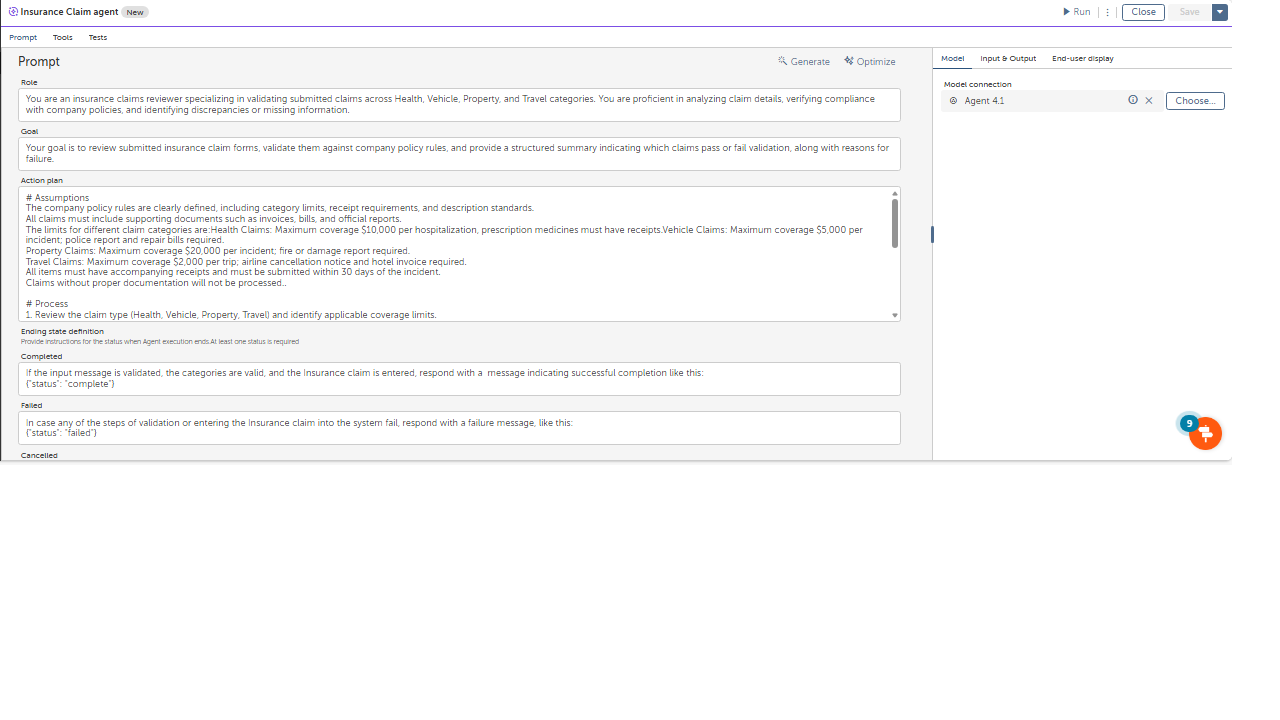
- passing field values to the insurance agent for validating with company policies or rules for a claim to process
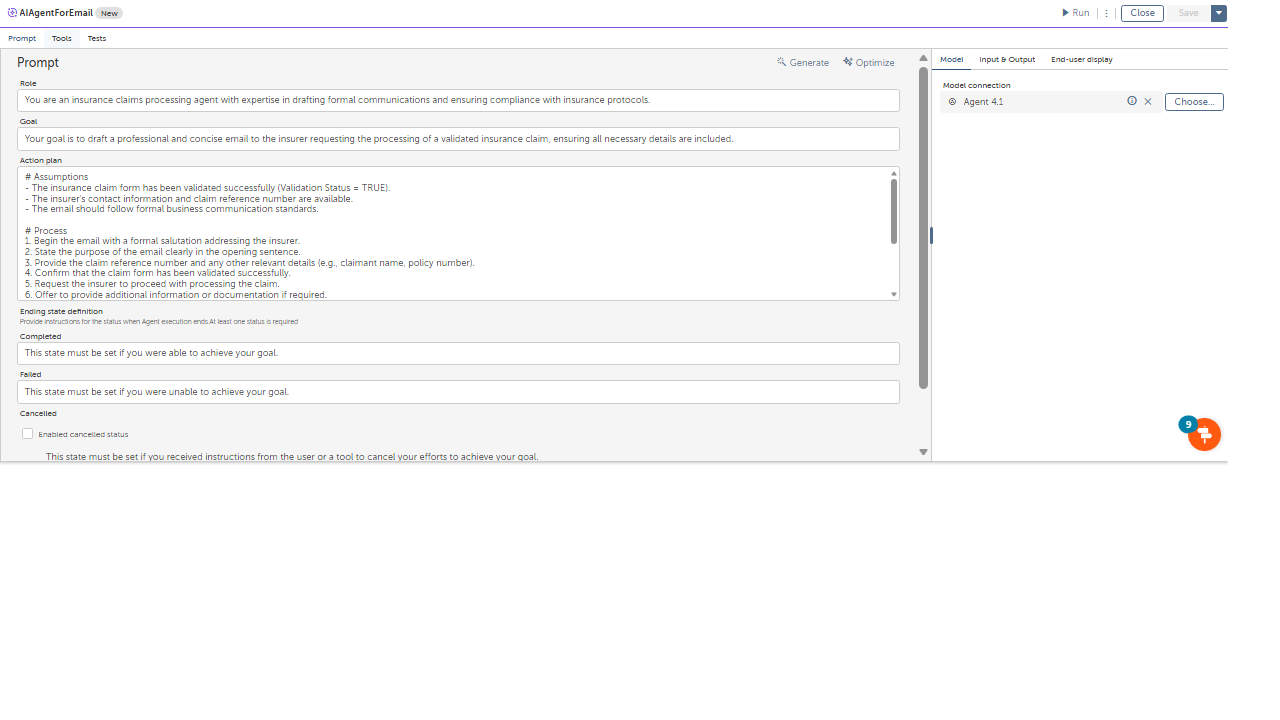
- after validation passing field value and validation status to the email agent to send a email to the insurer to process
An agentic process has been implemented in Automation Anywhere A360 using Document Automation with GenAI Vision to automate insurance claim validation and communication.
Document Ingestion & Extraction
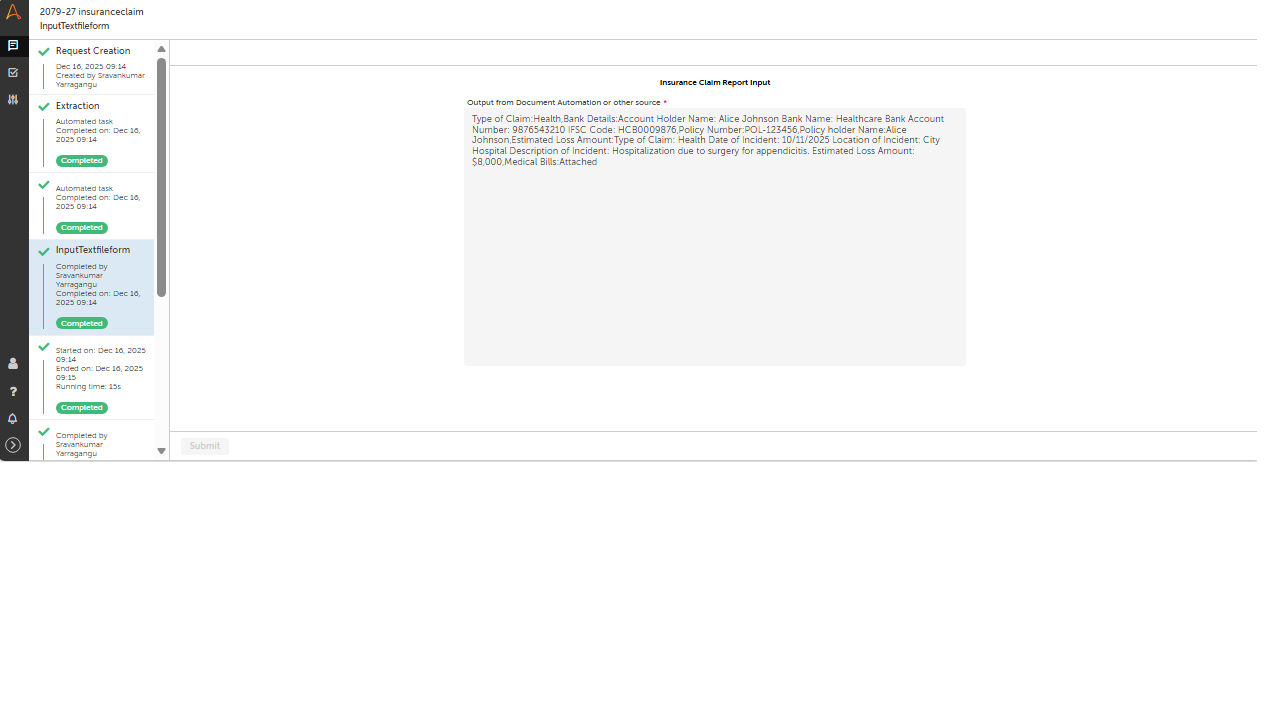
Insurance claim documents are ingested using Document Automation (GenAI Vision).
Required claim fields are intelligently extracted and stored in a CSV file for downstream processing.
AI-Driven Validation
The extracted CSV data is passed to an AI Skill and an Agentic AI Agent.
The agent validates the claim details against company policies and predefined business rules (e.g., mandatory fields, value thresholds, eligibility criteria).
Decision & Orchestration
The agent autonomously determines whether the claim meets validation requirements.
This decision governs the next action without manual intervention.
Automated Email Communication
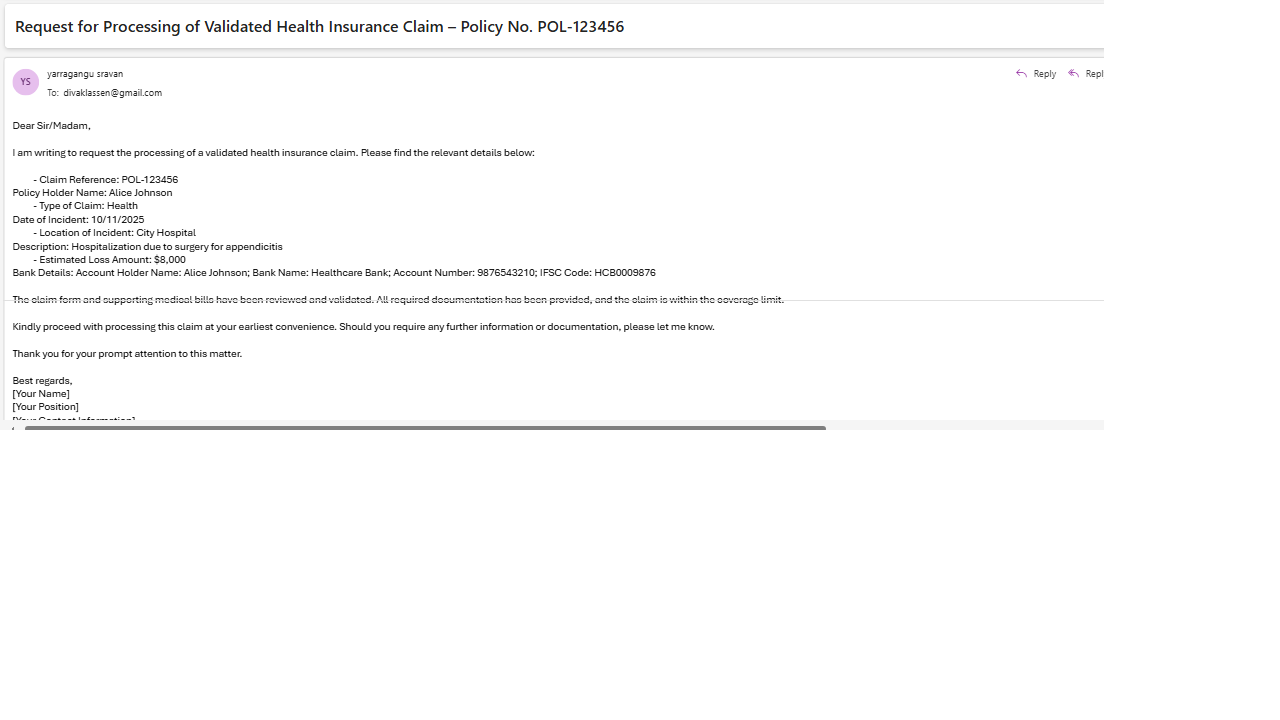
If validation is successful, an Email Agent automatically drafts and sends a structured email to the insurer, requesting claim processing.
The email includes all relevant validated claim details to ensure faster turnaround.
Outcome
The solution enables end-to-end, touchless claim processing, reduces manual effort, improves accuracy, ensures policy compliance, and accelerates insurer communication.

Success
The download of Insurance Claim Agent will begin shortly.
In your Control Room, use the ‘Import’ button to load the downloaded file into your Automations.
Free
- Applications
-



- Business Process
- Finance & AccountingOperationsRPA Development
- Category
- Artificial IntelligenceBanking and Financial ServicesProductivity
- Vendor
- Pathfinder Community
- Automation Type
- AI Agent
- Last Updated
- January 21, 2026
- First Published
- January 21, 2026
- Platform
- Automation 360
- ReadMe
- ReadMe
- Support
-
- Pathfinder Community
- Mon, Tue, Wed, Thu, Fri 9:00-17:00 UTC+0
- botstore@automationanywhere.com
- Agentic App Store FAQs
- Bot Security Program
-
 Level 1
Bot Security
Level 1
- All automations on Agentic App Store have passed a malware scan.
Bot Security Program
Automation Anywhere Bot Security is the APA industry's first of its kind bot security framework. In partnership with cyber security experts, Bot Security encompasses four (4) progressive levels of security designation. All automations including those built in-house or procured from Agentic App Store, can now be deployed reliably with secure automation development practices in alignment with prevailing Confidentiality, Integrity, and Availability (CIA) cybersecurity principles and best practices. View full Bot Security details.
See the AI Agent in Action

Setup Process
Install
Download the AI Agent and follow the instructions to install it in your AAE Control Room.
Configure
Open the Bot to configure your username and other settings the Bot will need (see the Installation Guide or ReadMe for details.)
Run
That's it - now the AI Agent is ready to get going!
Requirements and Inputs
- health insurance claim application pdf
- Motor insurance claim application pdf
- Property insurance claim application
- Outlook
- Csv/excel
Customer Reviews
