JSON Object Manager Package
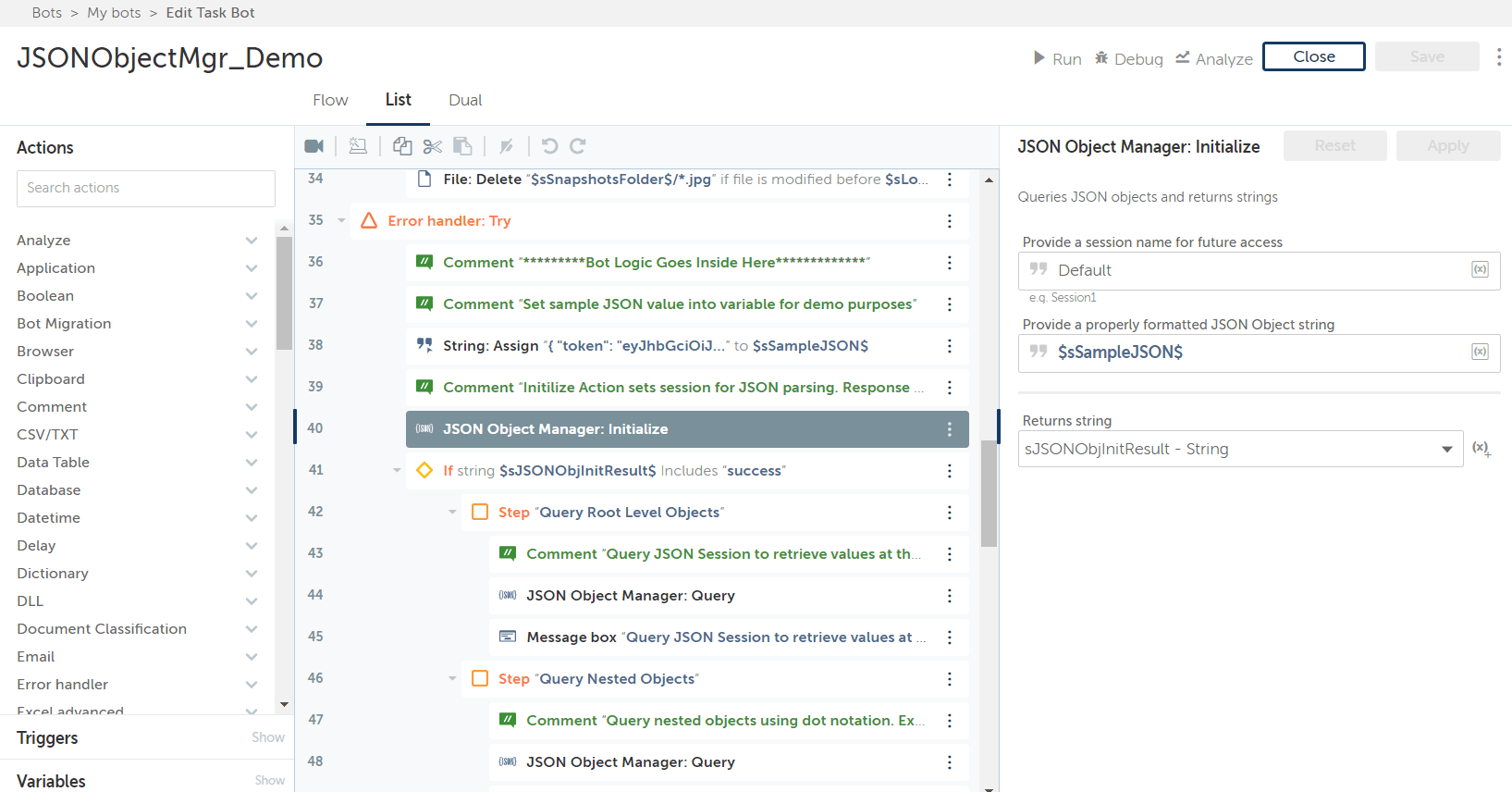
Version 1.2 - This bot is used to install the JSON Object Manager Command Package which creates in-memory JSON Objects that can be continually queried.
A QuickTip is available on Developer Portal for this package, check it out: Using the JSON Object Manager Package
Top Benefits
- Simplify interacting with REST web services
- Read and process JSON-formatted configuration files
- Allow a single JSON object to be continually queried by bot
- Simplify passing around JSON objects
Actions
- Transform JSON string into JSON object
- Query JSON object using dot notation
- Modify JSON elements
Version 1.2
Input:
JSON formatted string
Actions:
Query JSON object using dot notation syntax
Output:
All queries return strings
Sample Queries demonstrated by demo bot:
Accessing root objects
Accessing child objects through dot notation
Accessing the length of an array
Accessing a specific object within an array
Returning the entire array as a string
Release Notes:
1. Corrected query to retrieve the entire JSON object from the root using just . as the query
2. Added Set action that allows you to modify a value on a JSON key. The value replaced must be definite, which means it does not include an array element or sub-JSON objects
3. Additional example of types of acceptable queries can be viewed here: https://github.com/json-path/JsonPath
A QuickTip is available on Developer Portal for this package, check it out: QuickTip: Using the JSON Object Manager Package
Free
- Applications
-
- Category
- RPA Developer ToolsUtility
- Downloads
- 2478
- Vendor
- Automation Type
- Package
- Last Updated
- May 24, 2021
- First Published
- April 23, 2020
- Platform
- Automation 360
- ReadMe
- ReadMe
- Support
-
- Community Support Only
- Pathfinder Community Developer Forum
- Bot Store FAQs
- Bot Security Program
-
Level 1
Setup Process
Install
Download the Package and follow the instructions to install it in your AAE Control Room.

Configure
Use the Package in a bot, configure keys and other credentials the package will need (see the ReadMe for details.)
Run
That's it - now the Package is ready to get going!
Requirements and Inputs
- Properly formatted JSON object as a string