
Lab Report Severity Check - AI Agent
Lab Report Severity Check AI Agent automates lab triage using AI and APIs, escalates severe cases with HITL, reduces cost, and frees doctors for patient care.
Top Benefits
- Reduce manual lab report review effort by up to 60–70%.
- Identify and escalate critical lab cases in minutes instead of hours.
- ower operational staffing costs by reducing dependency on additional doctors and lab staff.
- Ensure 100% governed handling of severe cases through Human-in-the-Loop approval.
- Enable doctors to spend significantly more time on direct patient care instead of report triage.
Tasks
- Retrieve patient lab reports and related data using secure API Tasks.
- Evaluate patient health severity (normal, abnormal, severe) and generate clinical notes using AI Skills.
- Route severe cases to Human-in-the-Loop approval forms.
- Update patient health status and notes in lab systems via API Tasks.
- Generate consolidated lab report summaries using AI Agent.
- Send summary notification emails to doctors and hospital stakeholders using Taskbot.
Healthcare organizations generate hundreds of lab reports daily, making manual lab report review a time-consuming and risk-sensitive task. Doctors and lab teams must scan multiple lab values to identify critical cases, often spending long hours reviewing routine reports. This delays patient care, increases operational costs, and places additional strain on clinical staff.
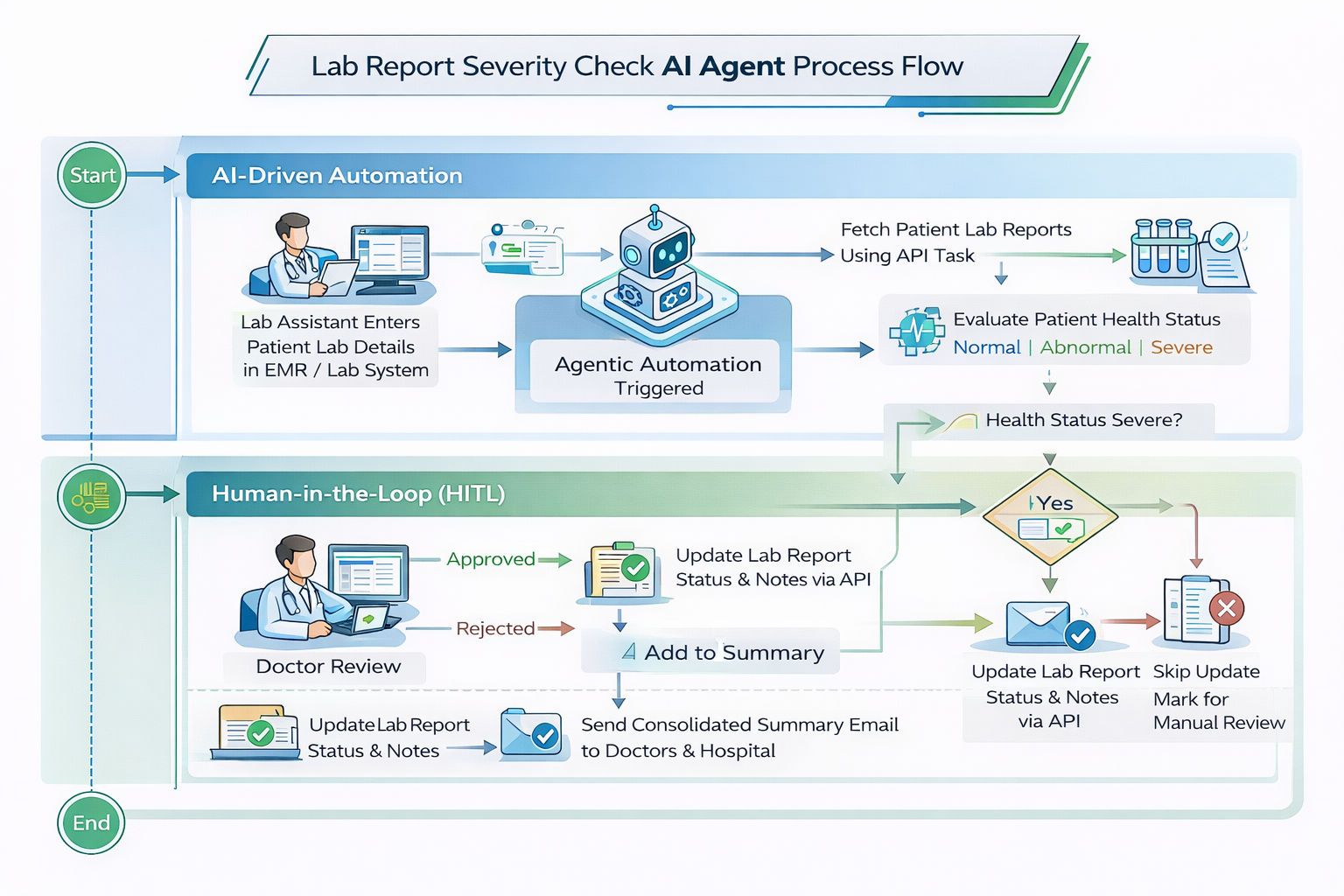
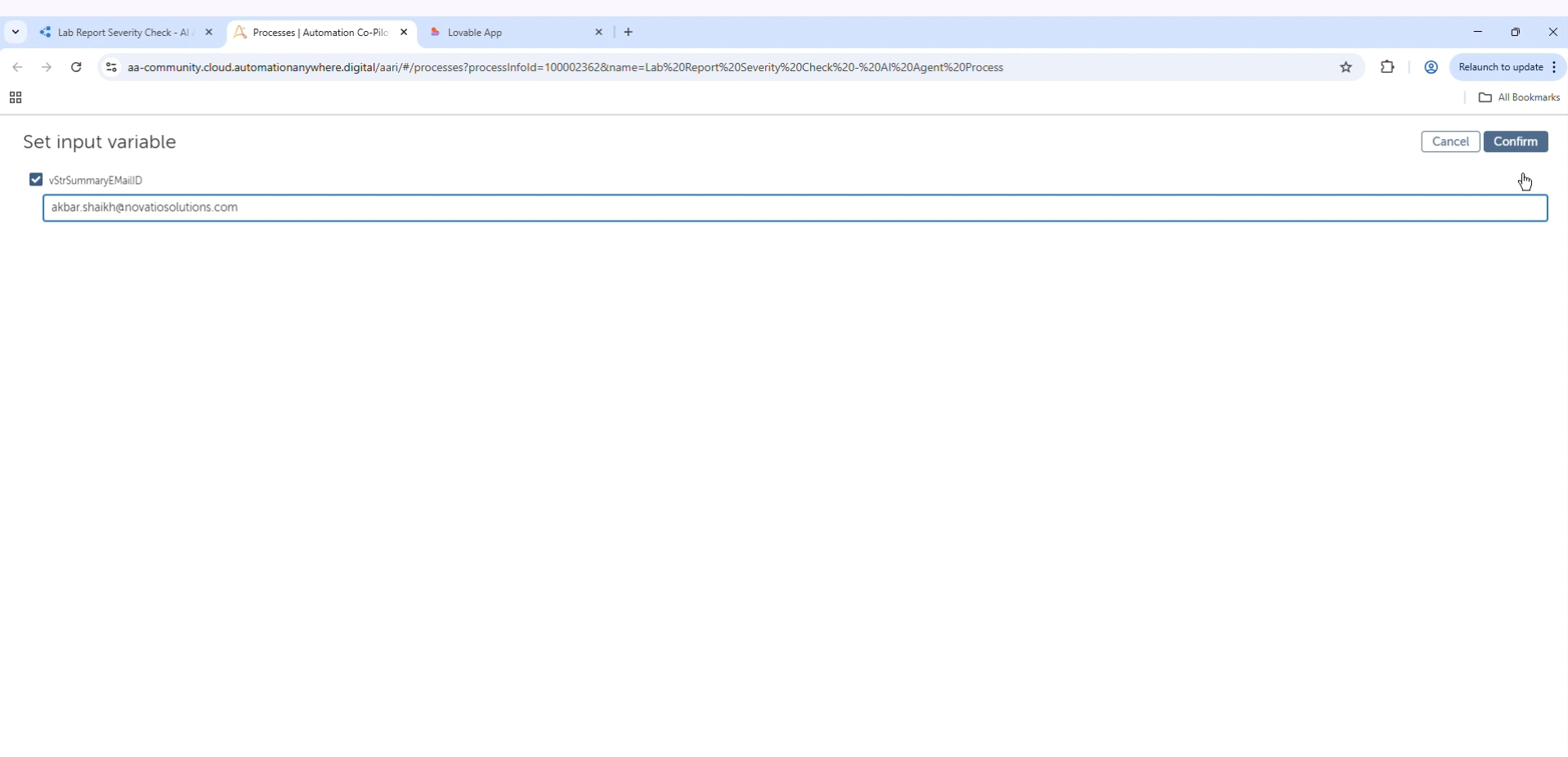
The Lab Report Severity Check AI Agent, built using Automation Anywhere’s agentic automation, automates lab report triage with intelligence and governance. The automation is triggered on demand and retrieves structured patient lab data from EMR or lab management systems using secure API tasks. A user-provided email address is captured to deliver a final summary report.
Once initiated, the agent evaluates each lab report using AI skills to classify health status as normal, abnormal, or severe. It also generates concise clinical notes based on lab values, eliminating the need for doctors to manually review every report while ensuring consistent analysis at scale.
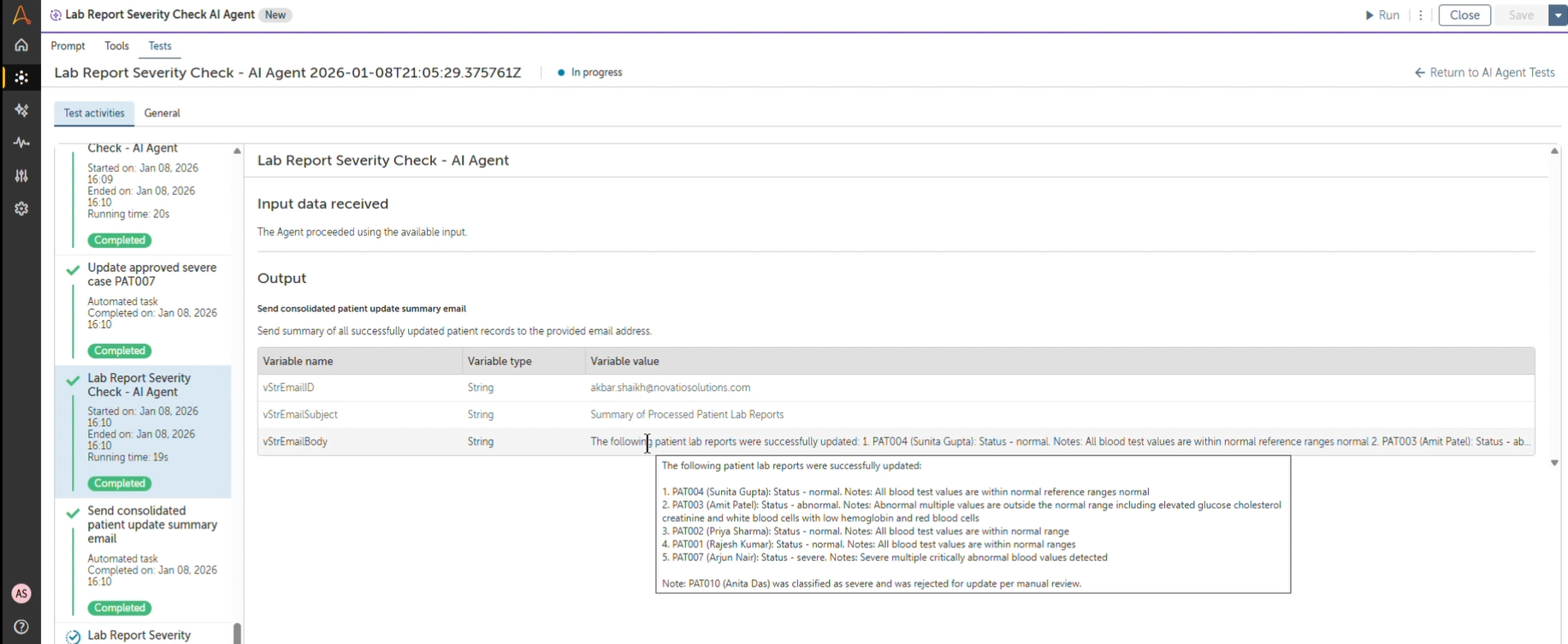
For severe cases, the agent invokes a Human-in-the-Loop approval workflow, presenting doctors with complete patient and lab details for review. Doctors can approve or reject each case, maintaining full clinical oversight. Approved cases are updated in the lab system, while rejected cases are held for manual follow-up. Normal and abnormal cases are updated automatically without human intervention.
After processing is complete, the agent sends a consolidated summary email to doctors and hospital stakeholders. By automating routine lab triage while preserving human control for critical decisions, the Lab Report Severity Check AI Agent reduces manual effort, accelerates critical case detection, lowers operational costs, and enables doctors to focus on patient care.

Success
The download of Lab Report Severity Check - AI Agent will begin shortly.
In your Control Room, use the ‘Import’ button to load the downloaded file into your Automations.
Free
- Applications
-



- Business Process
- Inventory ManagementOperationsRPA Development
- Category
- Artificial IntelligenceCognitive AutomationHealthcare
- Vendor
- Pathfinder Community
- Automation Type
- AI Agent
- Last Updated
- January 21, 2026
- First Published
- January 21, 2026
- Platform
- Automation 360
- ReadMe
- ReadMe
- Support
-
- Community Support Only
- Pathfinder Community Developer Forum
- Agentic App Store FAQs
- Bot Security Program
-
 Level 1
Bot Security
Level 1
- All automations on Agentic App Store have passed a malware scan.
Bot Security Program
Automation Anywhere Bot Security is the APA industry's first of its kind bot security framework. In partnership with cyber security experts, Bot Security encompasses four (4) progressive levels of security designation. All automations including those built in-house or procured from Agentic App Store, can now be deployed reliably with secure automation development practices in alignment with prevailing Confidentiality, Integrity, and Availability (CIA) cybersecurity principles and best practices. View full Bot Security details.
See the AI Agent in Action
Setup Process
Install
Download the AI Agent and follow the instructions to install it in your AAE Control Room.
Configure
Open the Bot to configure your username and other settings the Bot will need (see the Installation Guide or ReadMe for details.)
Run
That's it - now the AI Agent is ready to get going!
Requirements and Inputs
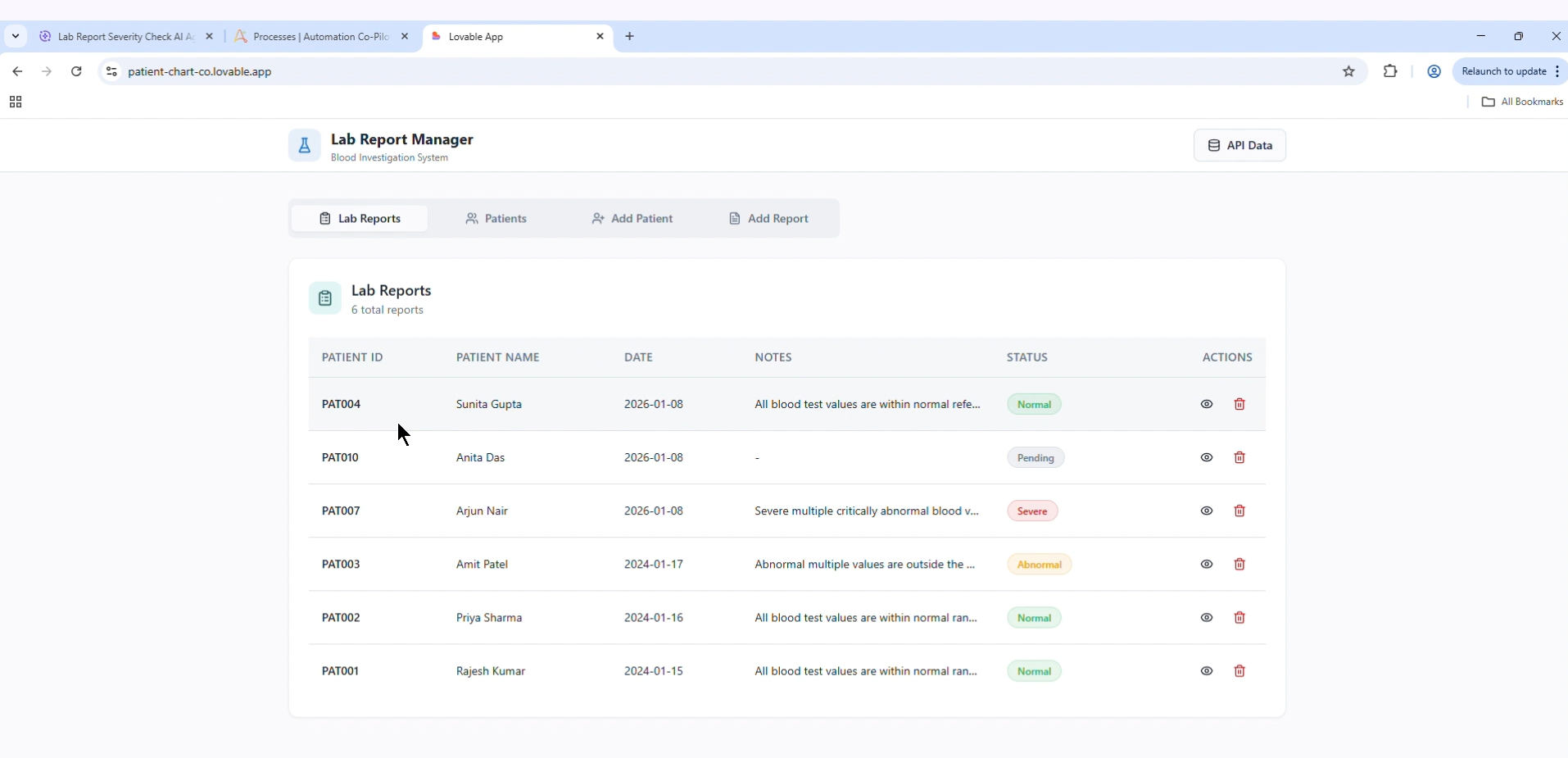
- • Access to lab website for manual check (sample website) - https://patient-chart-co.lovable.app/
- Access to lab website API (Sample Data) - https://bhtuyacoebqhxjoflkyk.supabase.co/functions/v1/lab-data
- API credentials (API key / token) with read and update permissions for lab reports and patient records.
- Microsoft Outlook client 32 Bit
Customer Reviews
