
Local AI Package
On-device AI for your automations: classify, extract, summarize, redact PII, and prompt with zero cloud dependency, no API keys, and no GPU required
Top Benefits
- Zero cloud dependency — no API keys, no per-call costs, no data ever leaves the device
- Runs on CPU alone — 5–20 tokens/second on any 8-core+ machine, no GPU required
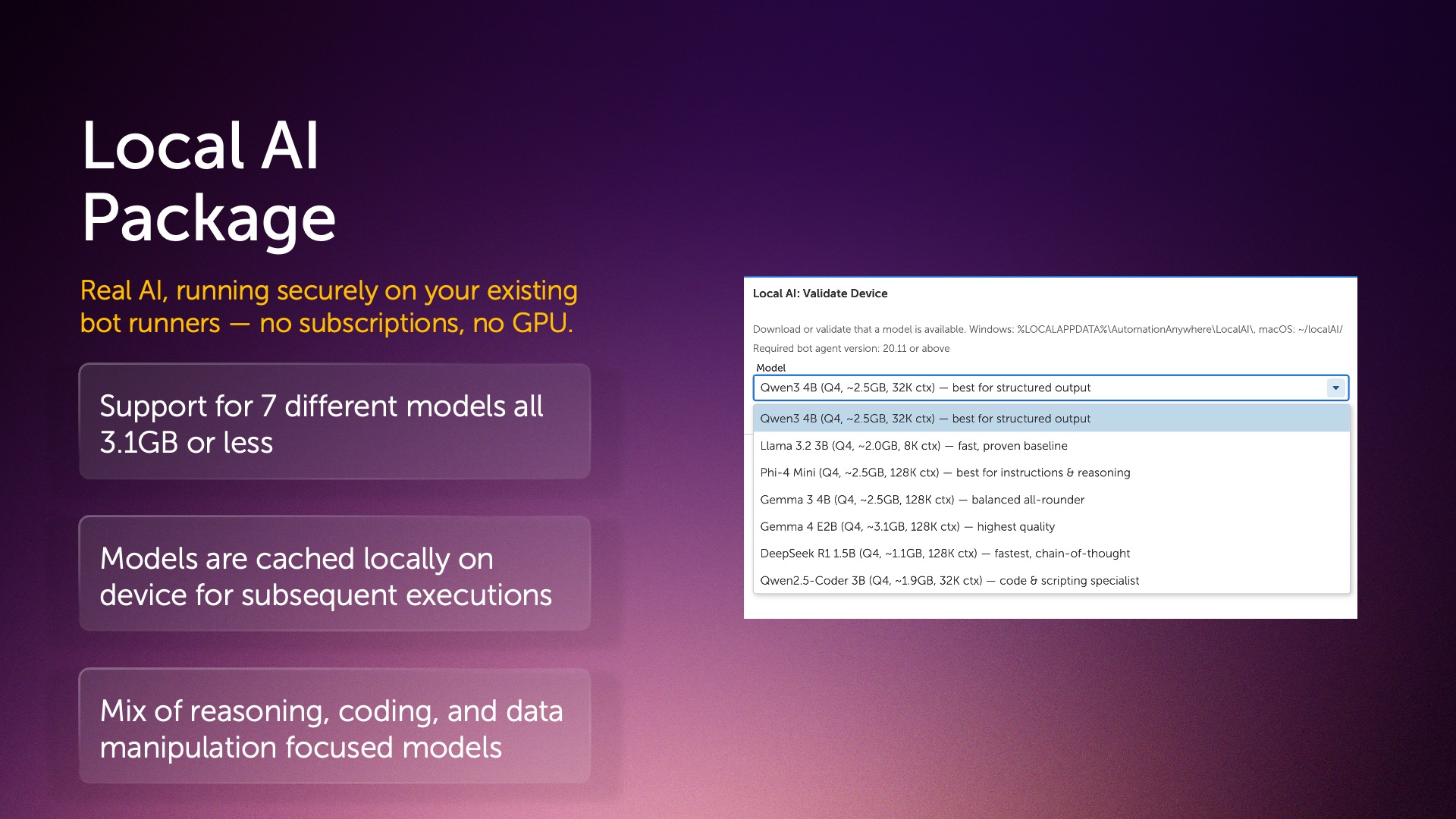
- Small footprint — all 7 models under 3.5GB, using just 4–5GB RAM during inference
- Great entry point to using more AI within your automations. No cost per tokens.
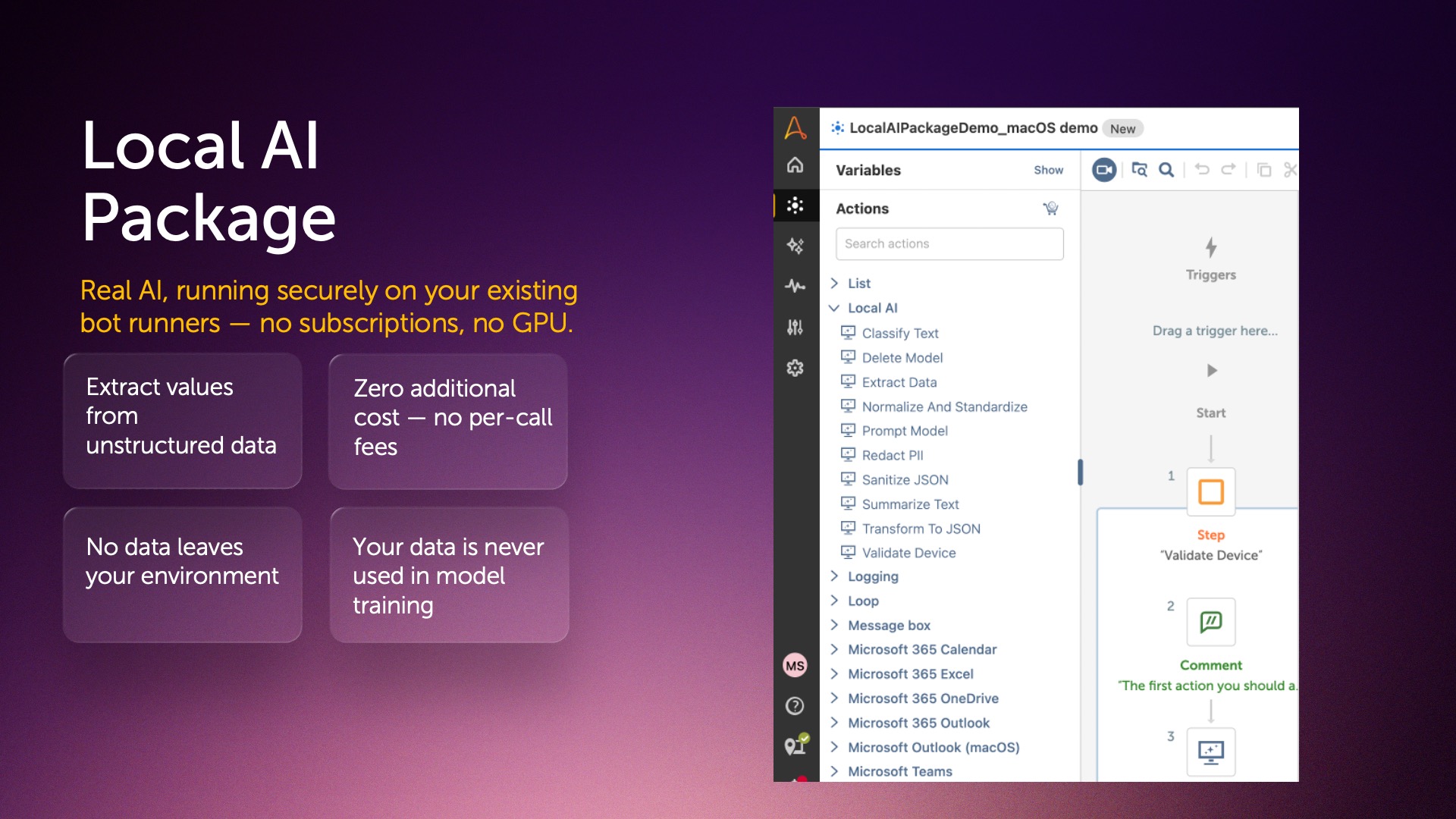
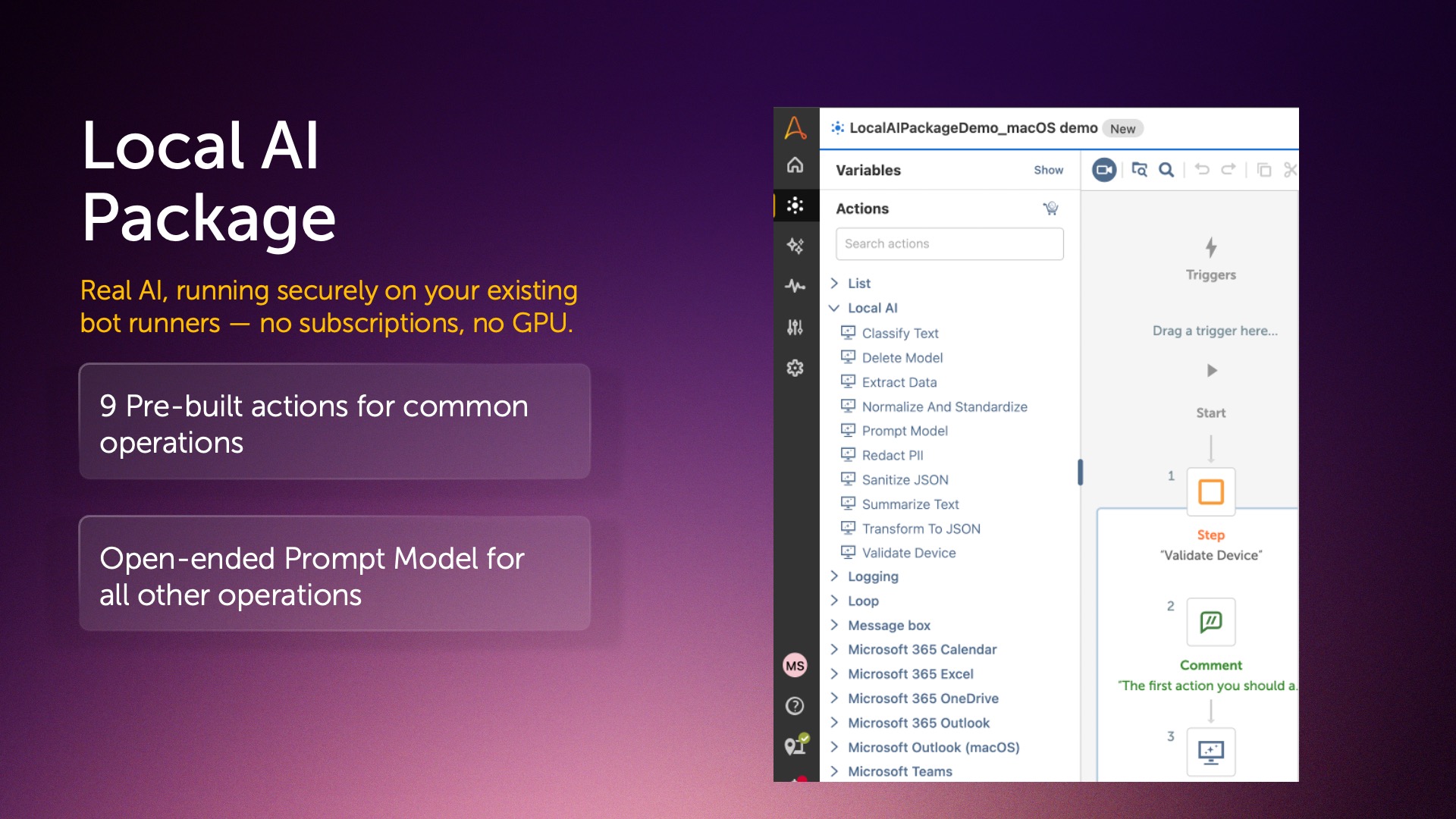
Actions
- Classify text into custom categories (email triage, ticket routing, sentiment)
- Extract structured fields from text into a Dictionary output
- Transform unstructured text (CSV, key-value, tables) into valid JSON
- Normalize and standardize inconsistent text formats (phone numbers, dates, addresses)
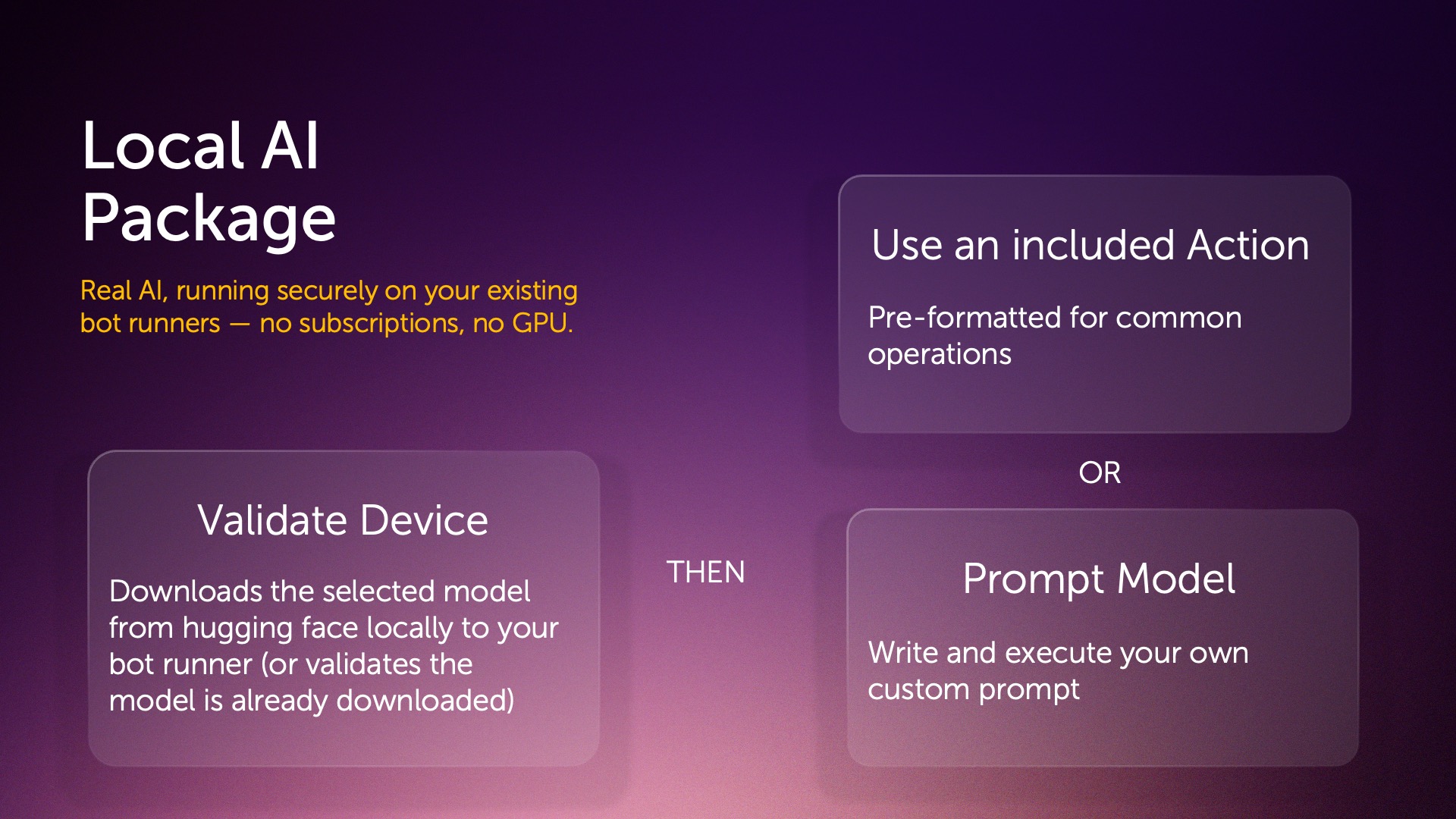
- Run any custom prompt against a local model — classification, generation, translation, anything not covered above
Every automation team eventually hits the same wall: you want your automations and processes to understand messy, unstructured text — customer emails, support tickets, invoice line items — but calling a cloud LLM means sending that data outside your organization, paying per-call costs, and depending on an internet connection that might not always be there.
LocalAI removes that tradeoff entirely. It brings real, on-device AI to your Automation Anywhere bots — no cloud, no API keys, no GPU. Using llama.cpp, LocalAI runs seven curated small language models directly on your Bot Agent's CPU, achieving 5-20 tokens/second on a typical 8-core machine.
Once your text is available in a bot — already extracted from a document, email, or ticket — LocalAI's ten actions can classify it into custom categories, pull named fields into a Dictionary, summarize long threads, redact PII before it's logged or sent externally, normalize inconsistent formats like phone numbers and dates, repair malformed JSON, or handle any custom free-form prompt you write.
Models download once (2-3.5GB each) and then run fully offline — perfect for air-gapped or high-security environments. Nothing you send through LocalAI ever leaves your machine, and none of it is ever used to train a model, anywhere.
If you've been automating with rules and triggers and are ready to add real AI — securely, and at no additional cost — LocalAI is where to start.

Success
The download of Local AI Package will begin shortly.
In your Control Room, use the ‘Import’ button to load the downloaded file into your Automations.
Free
- Applications
-

- Business Process
- Customer Service &...Information Techno...Software Developme...
- Category
- Artificial Intelli...Cognitive Automati...
- Downloads
- 44
- Vendor
-

- Automation Type
- Package
- Last Updated
- July 10, 2026
- First Published
- July 10, 2026
- Platform
- Automation 360
- ReadMe
- ReadMe
- Support
-
- Community Support Only
- Pathfinder Community Developer Forum
- Agentic App Store FAQs
- Bot Security Program
-
 Level 1
Bot Security
Level 1
- All automations on Agentic App Store have passed a malware scan.
Bot Security Program
Automation Anywhere Bot Security is the APA industry's first of its kind bot security framework. In partnership with cyber security experts, Bot Security encompasses four (4) progressive levels of security designation. All automations including those built in-house or procured from Agentic App Store, can now be deployed reliably with secure automation development practices in alignment with prevailing Confidentiality, Integrity, and Availability (CIA) cybersecurity principles and best practices. View full Bot Security details.
See the Package in Action
Setup Process
Install
Download the Package and follow the instructions to install it in your AAE Control Room.
Configure
Use the Package in a bot, configure keys and other credentials the package will need (see the ReadMe for details.)
Run
That's it - now the Package is ready to get going!
Requirements and Inputs
- Windows or macOS Bot Agent (8+ CPU cores recommended, no GPU required)
- Internet connection for one-time model download only — all inference runs fully offline afterward
- Input text already extracted from its source (e.g., invoice text, email body, ticket contents) — LocalAI does not perfor
Customer Reviews
