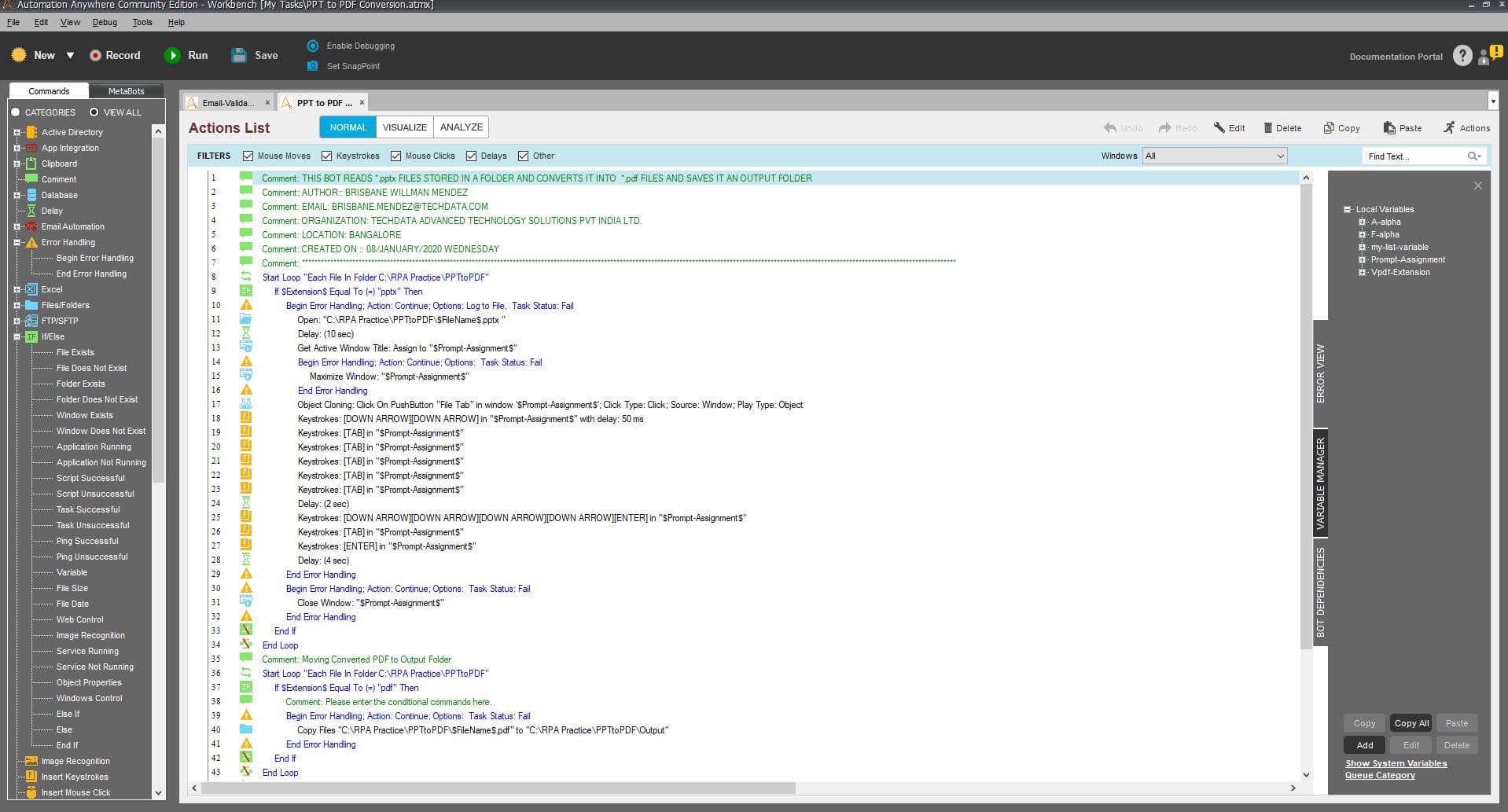
This bot reads PPTX files stored in a folder and converts it into PDF files and saves it an output folder in bulk.
Top Benefits
Bulk conversion of PPTX files to a PDF
Saves time and improves processing time
Reduces human intervention
Tasks
Reads and validates the PPTX file
Converts it into PDF file
Conversion to pdf restricts the receivers from editing the PPTX file
Notifies the user once the bulk conversion is completed
This bot reads PPTX files stored in a folder and converts them into PDF files and saves it in an output folder in bulk.
Inputs: Need to create folders as per the criteria mentioned below:
Input files need to be in folder C:\RPA Practice\PPTtoPDF. Create the required folders.
This BOT is capable only to convert MS Power Point files with the specific extension: “.pptx”
MS Power Point used is Microsoft Office 365 proPlus / Microsoft PowerPoint for Office 365 MSO (16.0.11328.20478) 64-bit
Actions: Converts PPTX files in bulk to a PDF format which will be stored in the defined folder.
Outputs: Output files will be stored in C:\RPA Practice\PPTtoPDFOutput.
See the Bot in Action
Setup process
Install
Download the Bot and follow the instructions to install it in your AAE Control Room.
Configure
Use the Bot in a bot, configure keys and other credentials the Bot will need (see the ReadMe for details.)
Run
That's it - now the Bot is ready to get going!
Requirements and Inputs
MS Power Point used is Microsoft Office 365 ProPlus
Strictly only .PPTX files
Supports Microsoft PowerPoint for Office 365 MSO (16.0.11328.20478) 64-bit