
Quick_Assist-ADO
We have an IT Service Management agent specialized in analyzing client emails to identify issues, extract structured incident and create tickets in Azure Devops
Top Benefits
- Faster allocation of issues or incidents to people in your organization.
- Notifying the person on outlook about the assigned issue.
- Extraction and summarization of particular issue and providing the details on outlook.
- Efficient usage of time by saving time of managers.
- Ensuring integrity and security as Azure Devops restricts sending mails outside your organization.
Tasks
- Extracting information from provided mail content.
- Assigning Priority to the issue.
- Assigning the ticket to specific person.
- Notifying the person on outlook about the assigned issue.
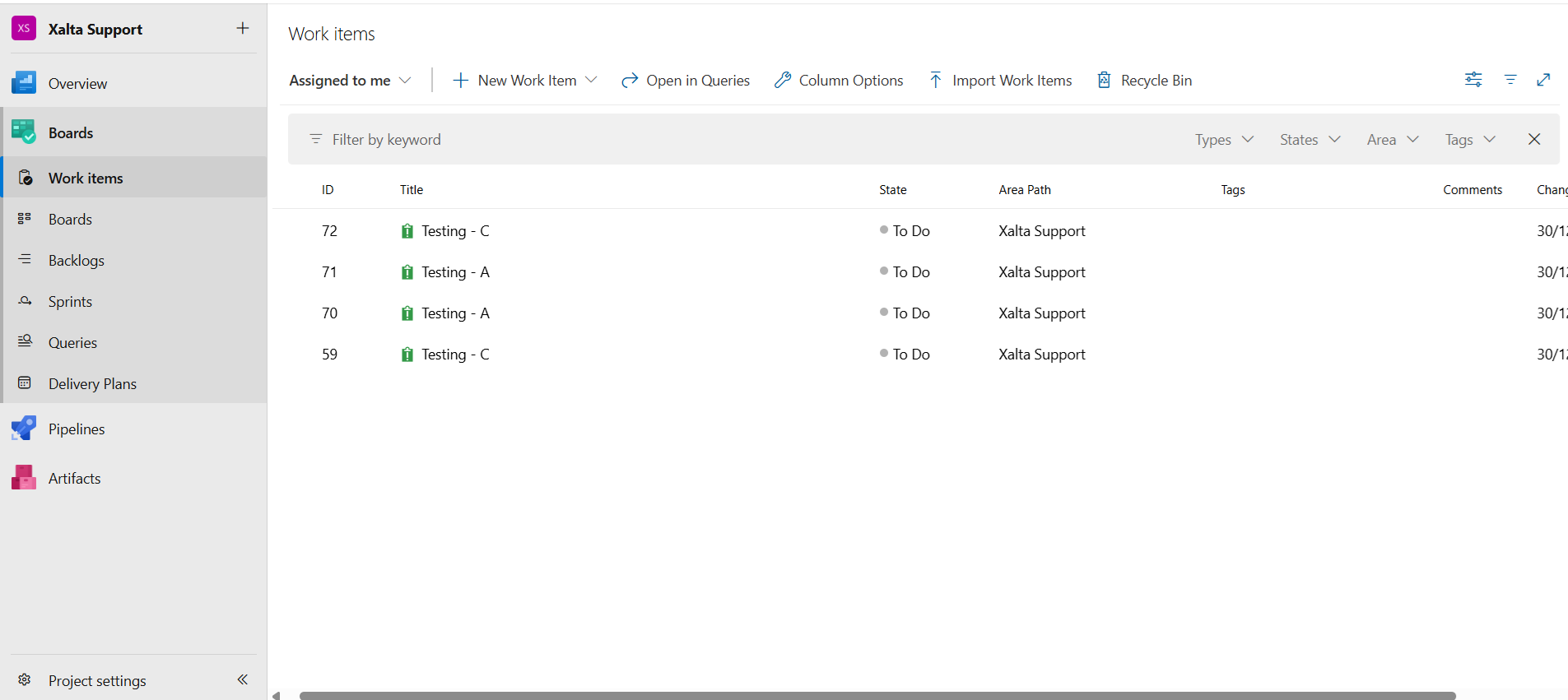
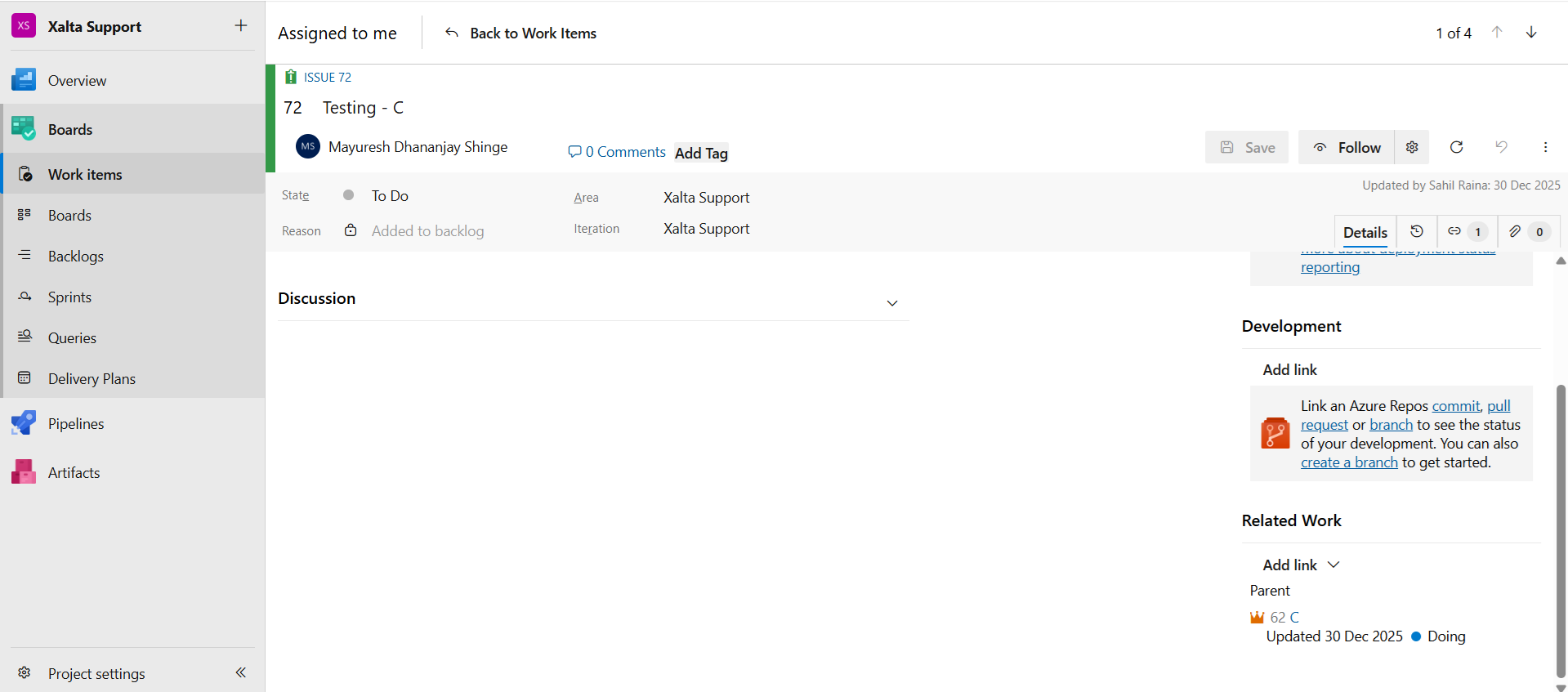
- Ticket generation and linking of tickets with clients in Azure Devops.
Problem Statement: Creating a IT Ticket management service which includes more protected and secure method than the existing applications like jira, because here data is 100% secured and most organizations can easily shift to this tools because of existing infrastructure of Azure Devops. More user friendly and managable tool than the traditional ones.
Inputs and trigger: We have email data as input data where the person will just enter the email content of a particular issue or incident of a particular client. This data is send inside a User Request variable.
Actions: The AI agent does the below actions after accepting the user input,
1) Extracting information from provided mail content.
2) Assigning Priority to the issue.
3) Assigning the ticket to specific person.
4) Notifying the person on outlook about the assigned issue.
5) Ticket generation in Azure Dev Ops.
6) Linking the created ticket with Client which are Epics here.
Outputs: The automation creates an issue in Azure Devops and also emails the person about the issue or incident which he/she has been allocated to look for further process of handling and resolving this issue.
Use Case: This usecase is beneficial in a lot of ways which are:
1) Ensuring integrity and security of allocation of resources because Azure Devops only allows people in your organization to allocate the issue, it does not allow mails outside your organization.
2) Faster and in-built notification system on outlook, thus handling a lot of manual work load.
3) Efficient utilization of time of senior managers and technical heads.

Success
The download of Quick_Assist-ADO will begin shortly.
In your Control Room, use the ‘Import’ button to load the downloaded file into your Automations.
Free
- Applications
-


- Business Process
- Customer Service & SupportOperationsRPA Development
- Category
- ProductivityRPA Developer ToolsSecurity
- Vendor
- Pathfinder Community
- Automation Type
- AI Agent
- Last Updated
- January 21, 2026
- First Published
- January 21, 2026
- Platform
- Automation 360
- ReadMe
- ReadMe
- Support
-
- Pathfinder Community
- Mon, Tue, Wed, Thu, Fri 9:00-17:00 UTC+0
- botstore@automationanywhere.com
- Agentic App Store FAQs
- Bot Security Program
-
 Level 1
Bot Security
Level 1
- All automations on Agentic App Store have passed a malware scan.
Bot Security Program
Automation Anywhere Bot Security is the APA industry's first of its kind bot security framework. In partnership with cyber security experts, Bot Security encompasses four (4) progressive levels of security designation. All automations including those built in-house or procured from Agentic App Store, can now be deployed reliably with secure automation development practices in alignment with prevailing Confidentiality, Integrity, and Availability (CIA) cybersecurity principles and best practices. View full Bot Security details.
See the AI Agent in Action
Setup Process
Install
Download the AI Agent and follow the instructions to install it in your AAE Control Room.
Configure
Open the Bot to configure your username and other settings the Bot will need (see the Installation Guide or ReadMe for details.)
Run
That's it - now the AI Agent is ready to get going!
Requirements and Inputs
- AZURE DEVOPS VERSION -> Version Dev20.M265.1 (AzureDevOps_M265_20251210.1)
- Outlook -> Web Version
Customer Reviews
