
Salesforce DataSure AI Agent
The AI agent fetches Salesforce leads, validates data, scores quality and duplicates, enables user approval, updates Salesforce, and generates insights charts.
Top Benefits
- Higher Lead-to-conversion rates
- Reduced CRM data debt
- Improved sales productivity
- Stronger data governance
Tasks
- Retrieve Salesforce Leads data using API task
- Validate data and generate Data Quality and Duplicate Score using AI skill.
- Review validated data with Human before uploading it to Salesforce
- Update Salesforce data using API task
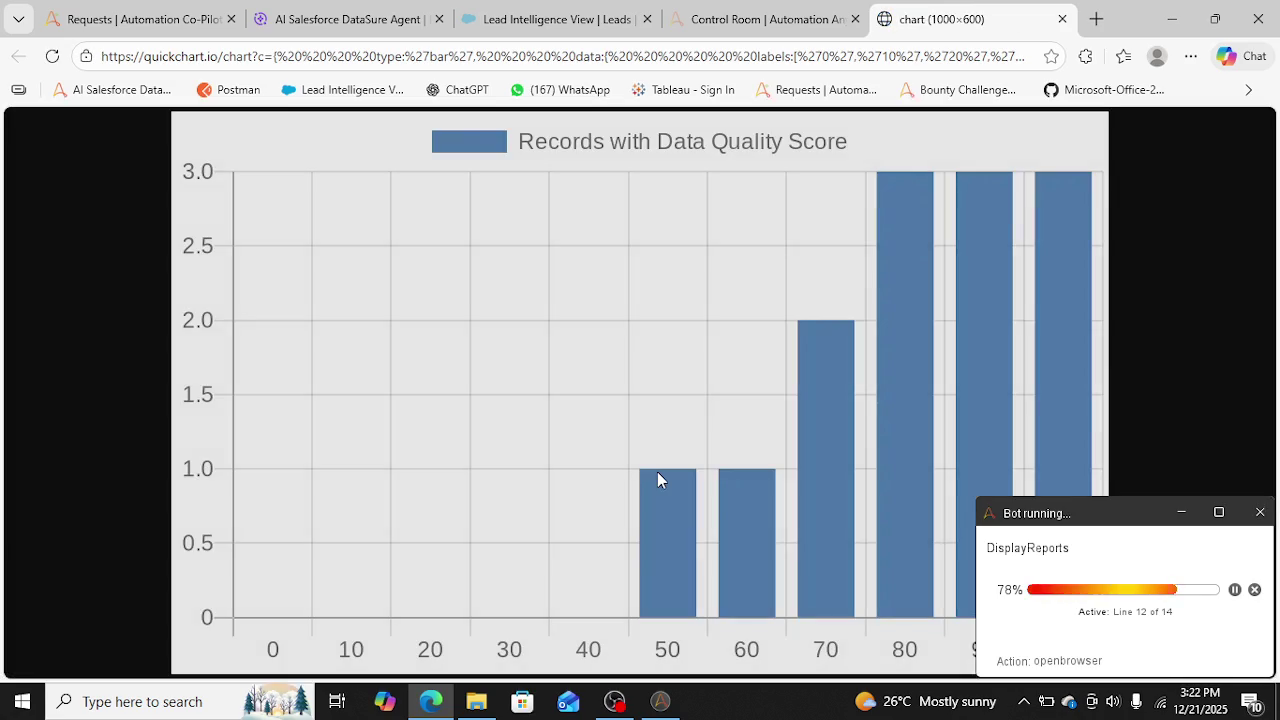
- Generate Data Quality and Duplicate Insight charts using QuickChart.io integration
Problem Statement:
1. Sales productivity suffers due to invalid and unreachable Leads
2. Incomplete CRM data leads to lost opportunities and slower deal cycles
3. Duplicate Leads create confusion, inefficiency, and poor customer experience
4. Leadership lacks clear visibility into Salesforce data quality
What changes for business team if this problem is solved?
1. Duplicates are identified before outreach
2. Sales works only on clean, reachable Leads
3. CRM data becomes measurable and trusted
4. Leadership gains visibility into data quality
Business Impact:
1. Higher Lead-to-conversion rates
2. Reduced CRM data debt
3. Improved sales productivity
4. Stronger data governance
Solution this AI Agent Offers:
1. Fetch Leads from Salesforce (API)
Retrieve Lead records using Salesforce REST API
Secure authentication and access control
2. AI Validation Engine
Email Domain Validation
Check domain existence
Phone vs Country Validation
Validate phone number against country code
Duplicate Leads Check
Identify potential duplicate records
Data Normalization / Standardization
Normalize casing and formats
Example: amit → Amit
3. Scoring Leads
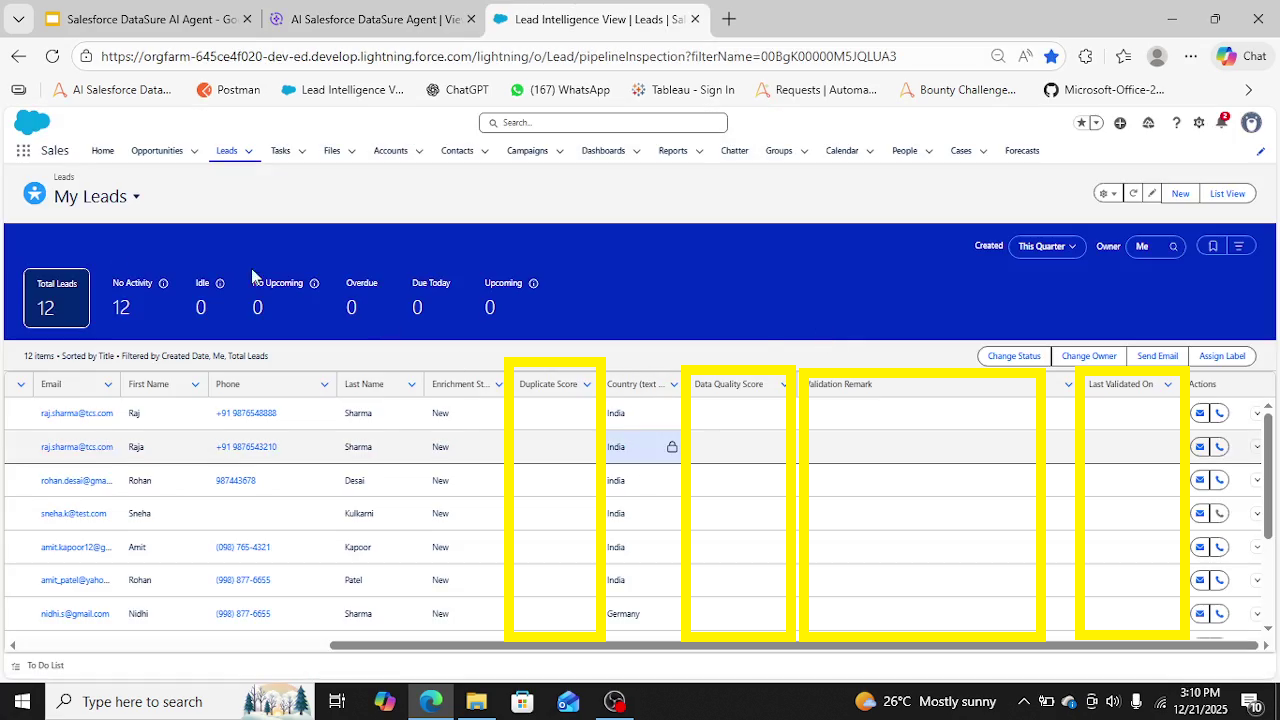
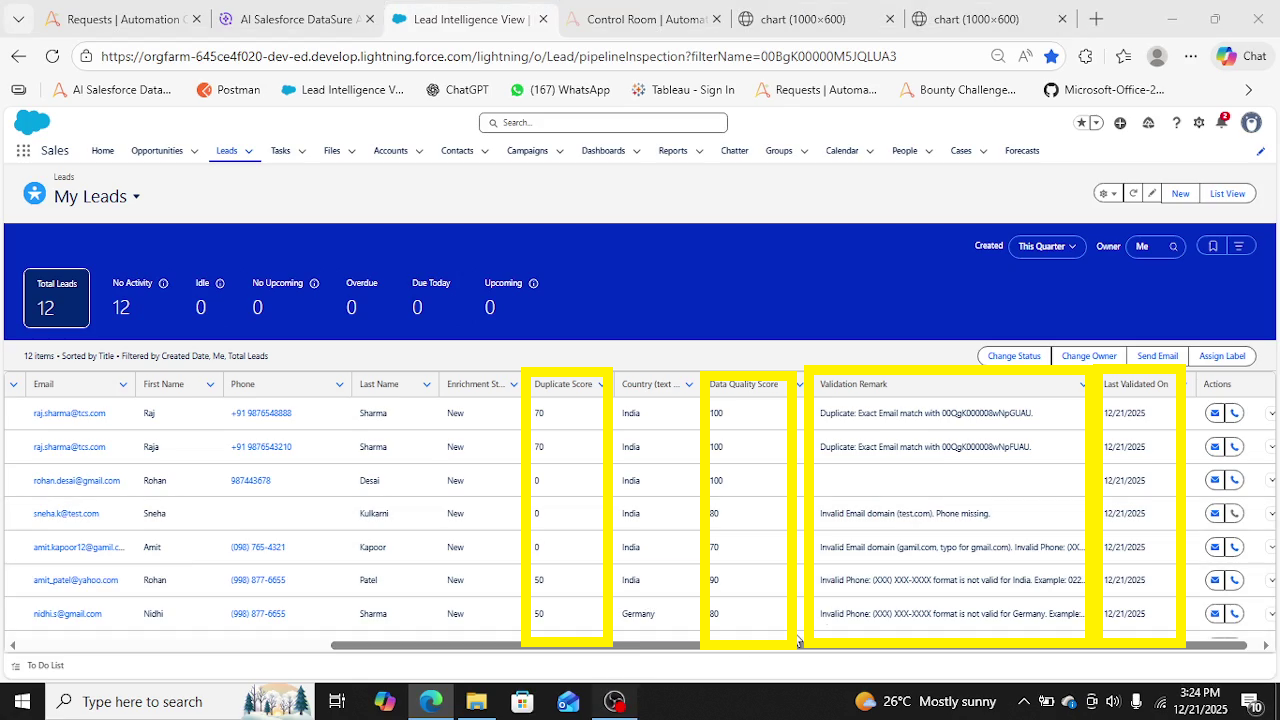
Data Quality Score (0–100)
Duplicate Score (0–100)
Validation Remarks
Validation Timestamp
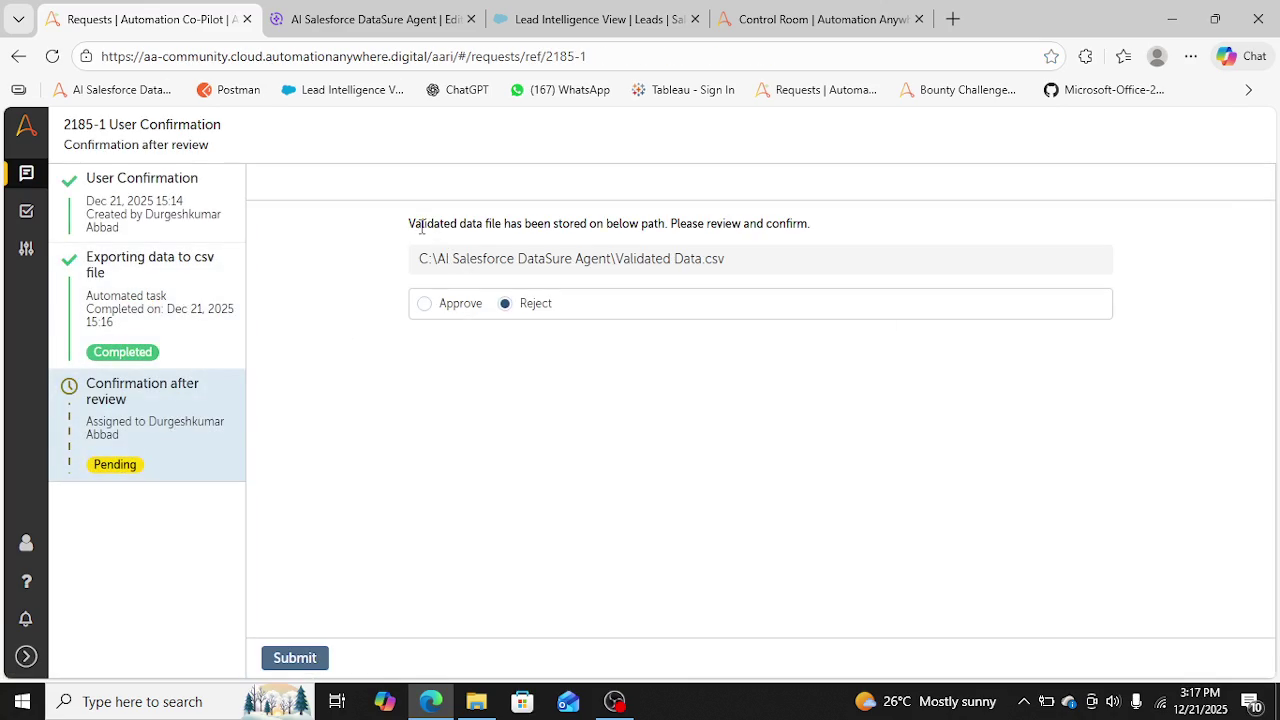
4. User Review & Approval
Review AI-validated data
Approve or Reject proposed updates
5. Update Salesforce
Write back:
Data Quality Score
Duplicate Score
Validation Remarks
Update Last Validated On field in Salesforce
6. Generate Charts
Data Quality Trends
Duplicate Insights
Input: Leads data on Salesforce with 4 additional columns. i.e.Data_Quality_Score__c(Number), Duplicate_Score__c (Number), Validation_Remark__c (Text(100)),Last_Validated_On__c (Date)
Expected Output:
1. Updated above 4 columns in Salesforce.
2. Generated Data Quality Score and Duplicate Score charts.

Success
The download of Salesforce DataSure AI Agent will begin shortly.
In your Control Room, use the ‘Import’ button to load the downloaded file into your Automations.
Free
- Ratings
-
5.0
 3
3
- Applications
-
- Business Process
- Marketing
- Category
- Artificial IntelligenceInsightsProductivity
- Vendor
- Pathfinder Community
- Automation Type
- AI Agent
- Last Updated
- February 13, 2026
- First Published
- January 21, 2026
- Platform
- Automation 360
- ReadMe
- ReadMe
- Support
-
- Pathfinder Community
- Mon, Tue, Wed, Thu, Fri 9:00-17:00 UTC+0
- botstore@automationanywhere.com
- Agentic App Store FAQs
- Bot Security Program
-
 Level 1
Bot Security
Level 1
- All automations on Agentic App Store have passed a malware scan.
Bot Security Program
Automation Anywhere Bot Security is the APA industry's first of its kind bot security framework. In partnership with cyber security experts, Bot Security encompasses four (4) progressive levels of security designation. All automations including those built in-house or procured from Agentic App Store, can now be deployed reliably with secure automation development practices in alignment with prevailing Confidentiality, Integrity, and Availability (CIA) cybersecurity principles and best practices. View full Bot Security details.
See the AI Agent in Action
Setup Process
Install
Download the AI Agent and follow the instructions to install it in your AAE Control Room.
Configure
Open the Bot to configure your username and other settings the Bot will need (see the Installation Guide or ReadMe for details.)
Run
That's it - now the AI Agent is ready to get going!
Requirements and Inputs
- Valid Access Token updated in credentials vault to be used by AI Agent to fetch and update Salesforce Leads data.
- Leads should have additional fields created on Salesforce for Data_Quality_Score, Duplicate_Score, Validation_Remark etc
- Data on Salesforce Leads to fetch
Customer Reviews
