
Smart Hire
SmartHire - The Interview Process Automation System is an intelligent platform designed to streamline and automate the end-to-end recruitment workflow
Top Benefits
- Saves Interview screening time and resources
- Ensures consistent interview evaluation
- Reduces human bias
- Scalable for multiple job roles
- Improves recruitment accuracy

Tasks
- ResumeScannerSkill
- GenerateQuestions
- InterviewAnalysis
- ResumeAnalysisMainTask
- InterviewAnalysisMainTask
Overview
Smart Hire is an intelligent Interview Process Automation System designed to streamline and automate the end-to-end recruitment workflow. The platform leverages AI-based analysis to evaluate candidate resumes, conduct automated interviews, and generate detailed performance reports to assist HR teams in making informed hiring decisions.
Problem Statement
Traditional hiring processes are time-consuming, resource-intensive, and prone to human bias. Screening resumes, preparing interview questions, and evaluating candidates manually can delay recruitment and reduce efficiency.
Smart Hire addresses these challenges by automating resume screening, interview question generation, candidate evaluation, and reporting.
Objectives
Automate resume screening based on job descriptions
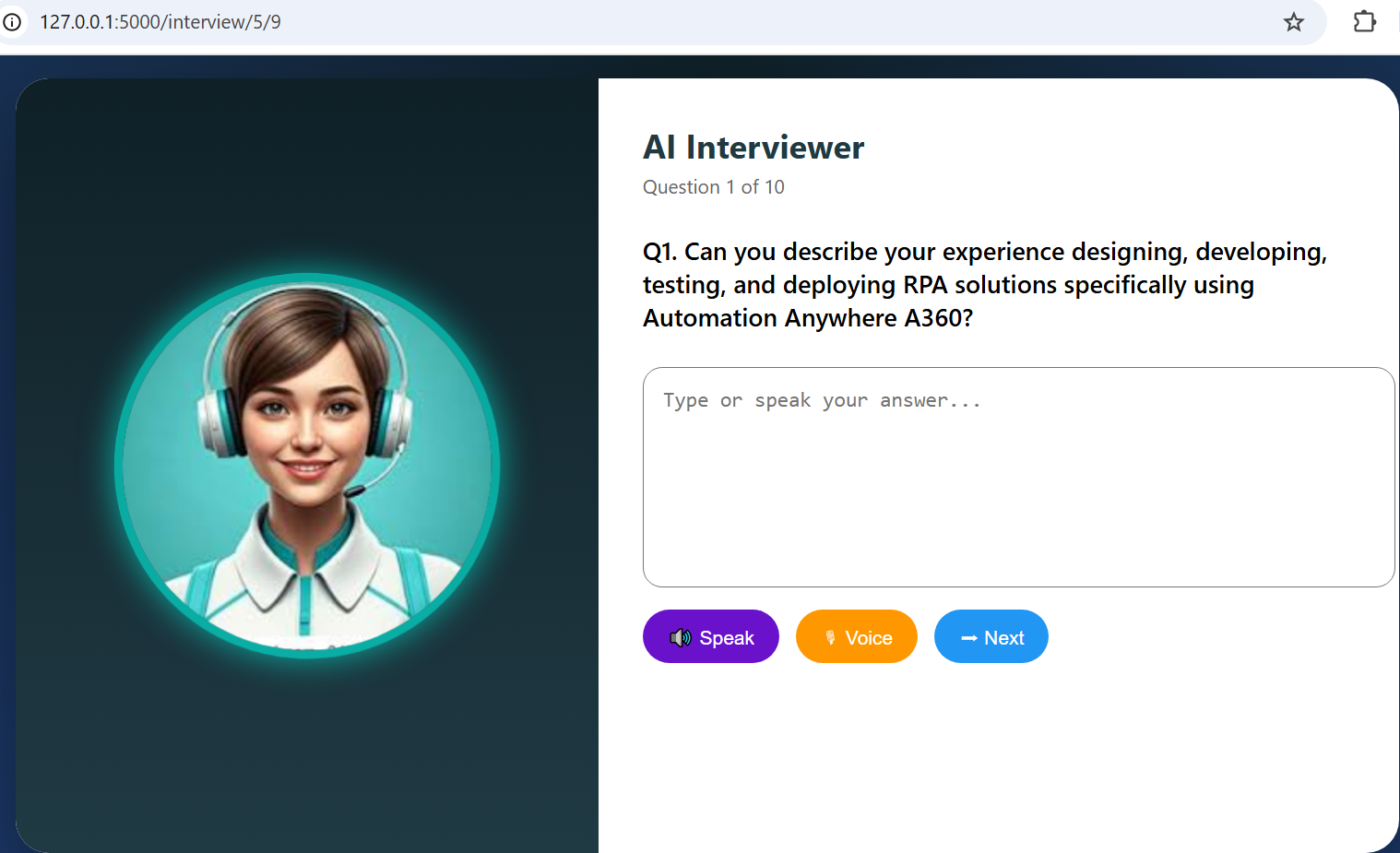
Conduct structured and consistent interviews
Reduce manual effort for HR teams
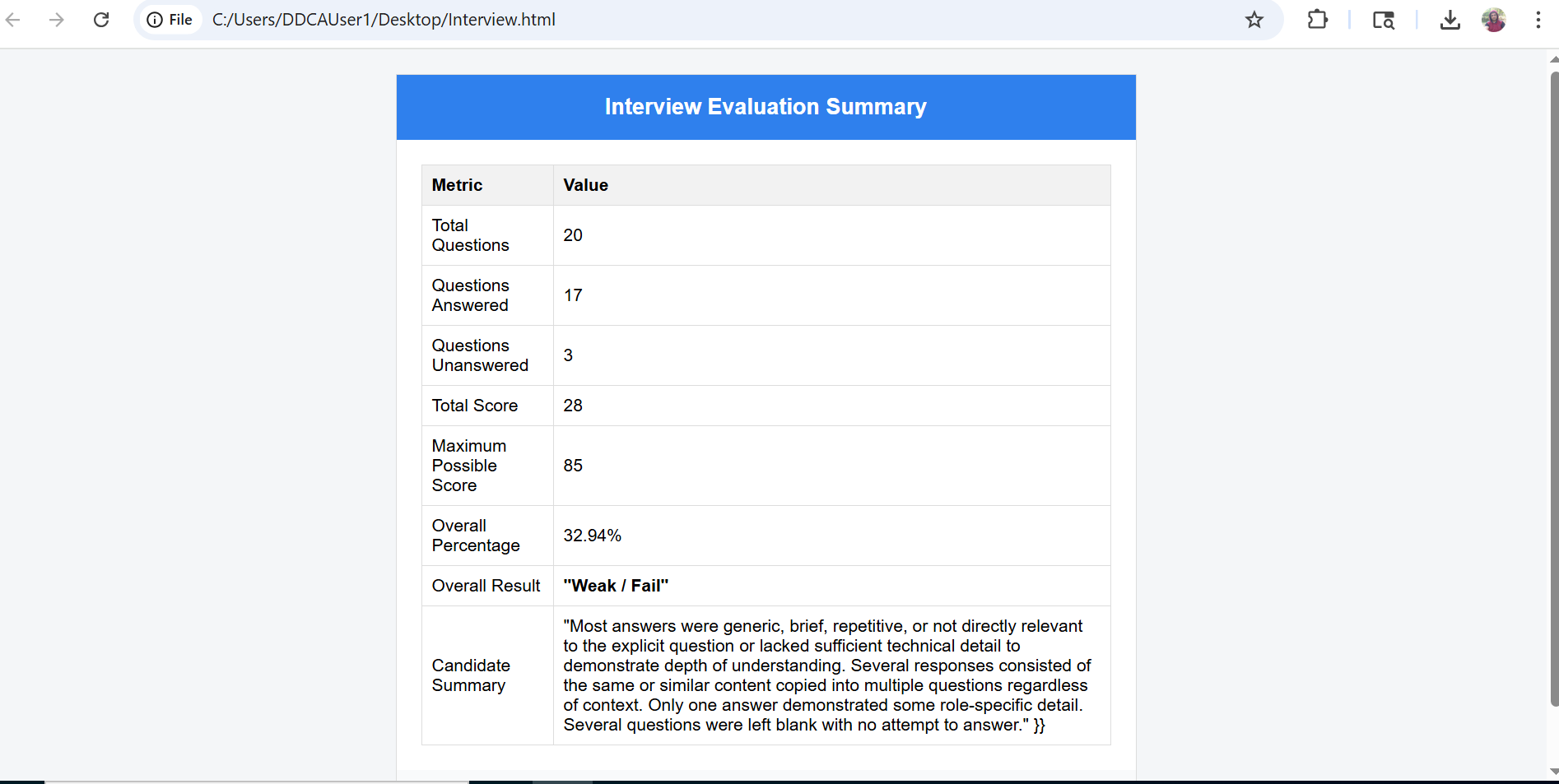
Provide unbiased, data-driven candidate evaluation
Improve hiring efficiency and decision-making

Success
The download of Smart Hire will begin shortly.
In your Control Room, use the ‘Import’ button to load the downloaded file into your Automations.
Free
- Ratings
-
5.0
 5
5
- Applications
-


- Business Process
- Customer Service & SupportHuman ResourcesRPA Development
- Category
- Artificial IntelligenceProductivityRPA Developer Tools
- Downloads
- 30
- Vendor
- Pathfinder Community
- Automation Type
- AI Agent
- Last Updated
- February 13, 2026
- First Published
- January 21, 2026
- Platform
- Automation 360
- ReadMe
- ReadMe
- Support
-
- Pathfinder Community
- Mon, Tue, Wed, Thu, Fri 9:00-17:00 UTC+0
- botstore@automationanywhere.com
- Agentic App Store FAQs
- Bot Security Program
-
 Level 1
Bot Security
Level 1
- All automations on Agentic App Store have passed a malware scan.
Bot Security Program
Automation Anywhere Bot Security is the APA industry's first of its kind bot security framework. In partnership with cyber security experts, Bot Security encompasses four (4) progressive levels of security designation. All automations including those built in-house or procured from Agentic App Store, can now be deployed reliably with secure automation development practices in alignment with prevailing Confidentiality, Integrity, and Availability (CIA) cybersecurity principles and best practices. View full Bot Security details.
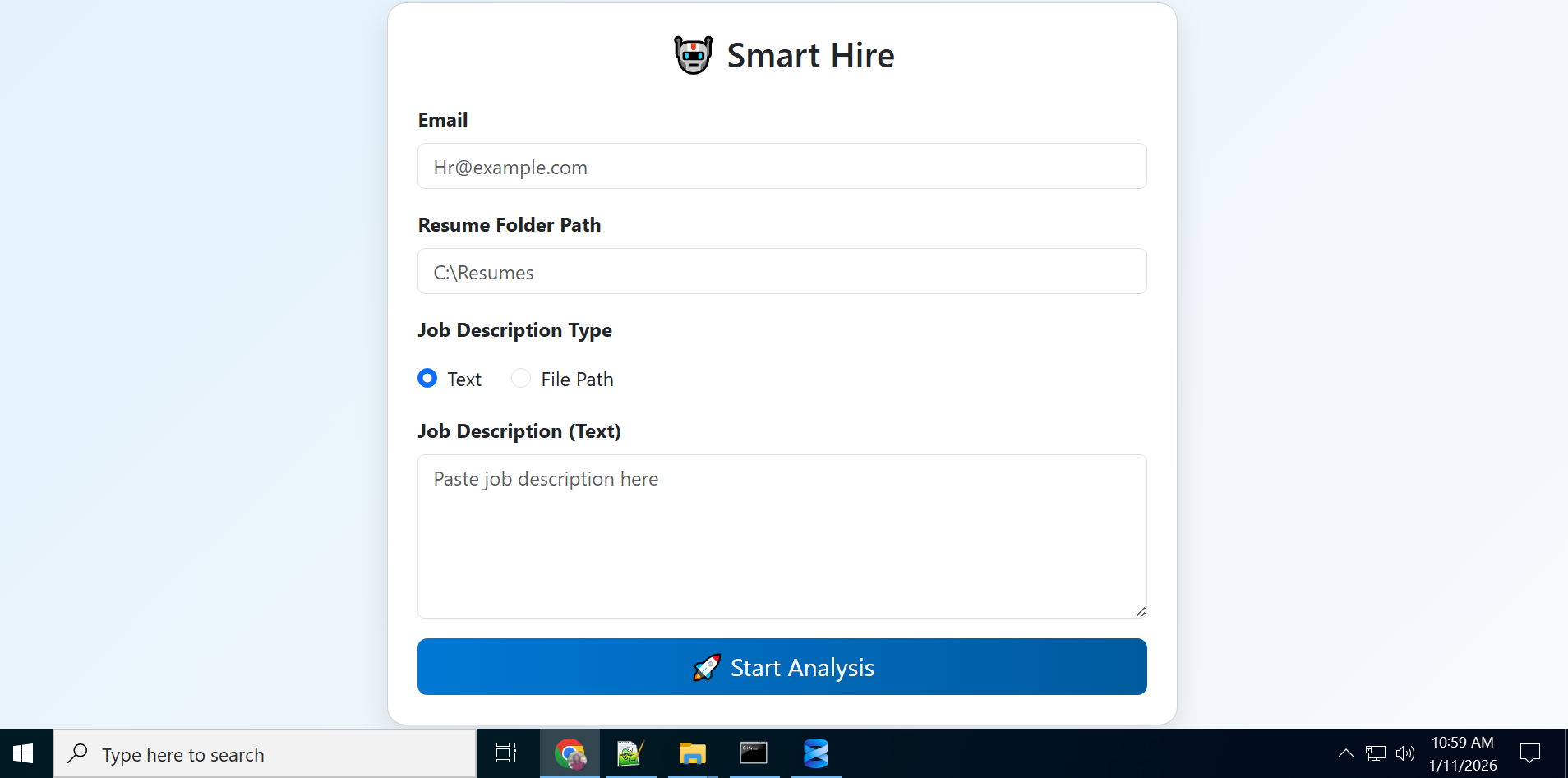
See the AI Agent in Action
Setup Process
Install
Download the AI Agent and follow the instructions to install it in your AAE Control Room.
Configure
Open the Bot to configure your username and other settings the Bot will need (see the Installation Guide or ReadMe for details.)
Run
That's it - now the AI Agent is ready to get going!
Requirements and Inputs
- ResumeFolderPath
- JobDescription
- HRMailID
- JodID
- CandidateID
Customer Reviews
