
Vehix AI–Agentic Automation for Vehicle Data Extraction
Vehix AI is an intelligent automation solution designed to streamline vehicle data extraction and reporting.
Top Benefits
- Turns hours of manual vehicle data collection into seconds of automation
- Delivers 100% accurate, standardized outputs with zero human error.
- Breaks language barriers with built-in AI translation for global scalability.
- Future-ready design that scales across models, brands, and advanced features.
Tasks
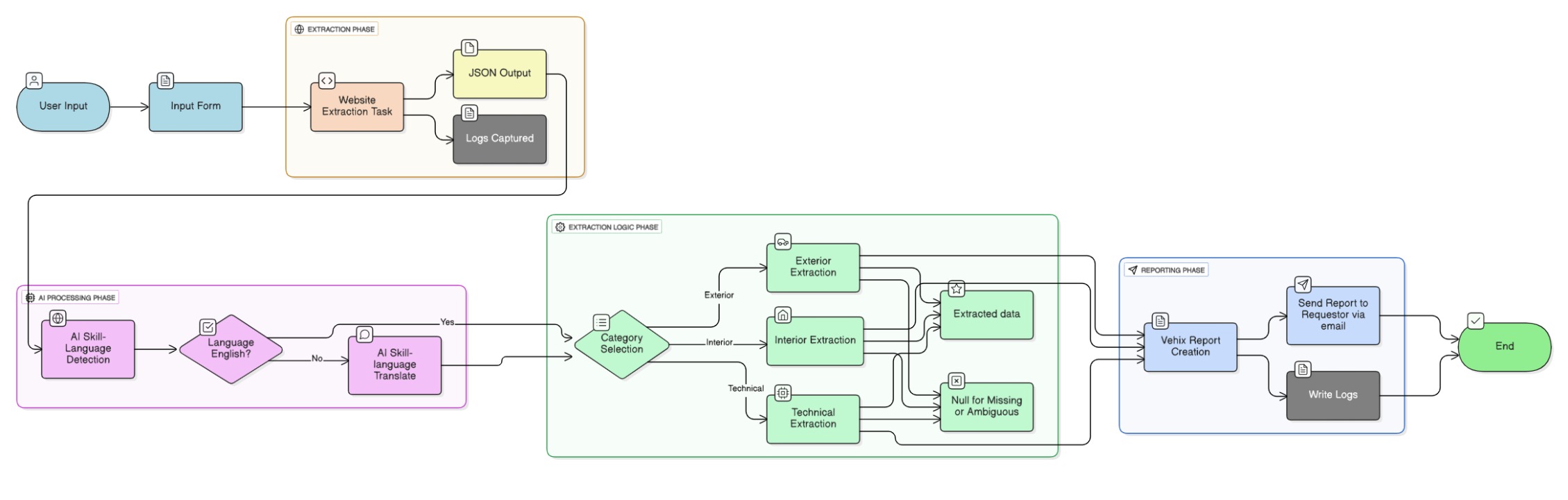
- Task bot-Vehix_Report_Creation-Creates a text file report, sends it to the requestor ID, and logs the transaction.
- Task bot-Website_Extraction_Task-Executes Python Playwright script, extracts webpage data, outputs JSON, and logs the pr
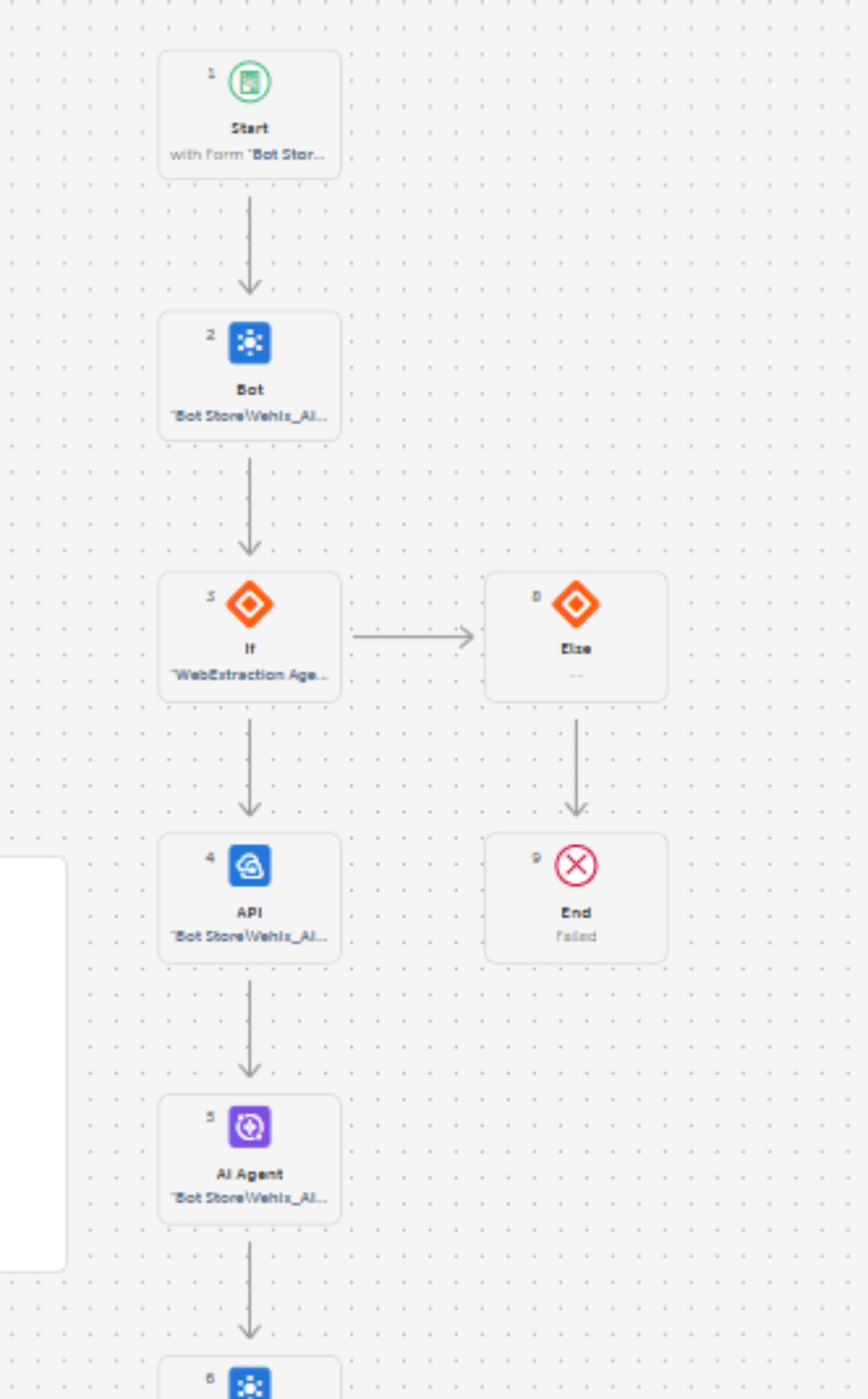
- Process_Vehix AI-Orchestrates all tasks, AI skills, AI Agent and API calls into a seamless workflow.
- AI Skill-Lang_AIConversation – Translates files into English if needed.
- AI Skill-Lang_Detection – Detects input language.
- API Tasks:Two API tasks created to invoke the above AI skills programmatically.
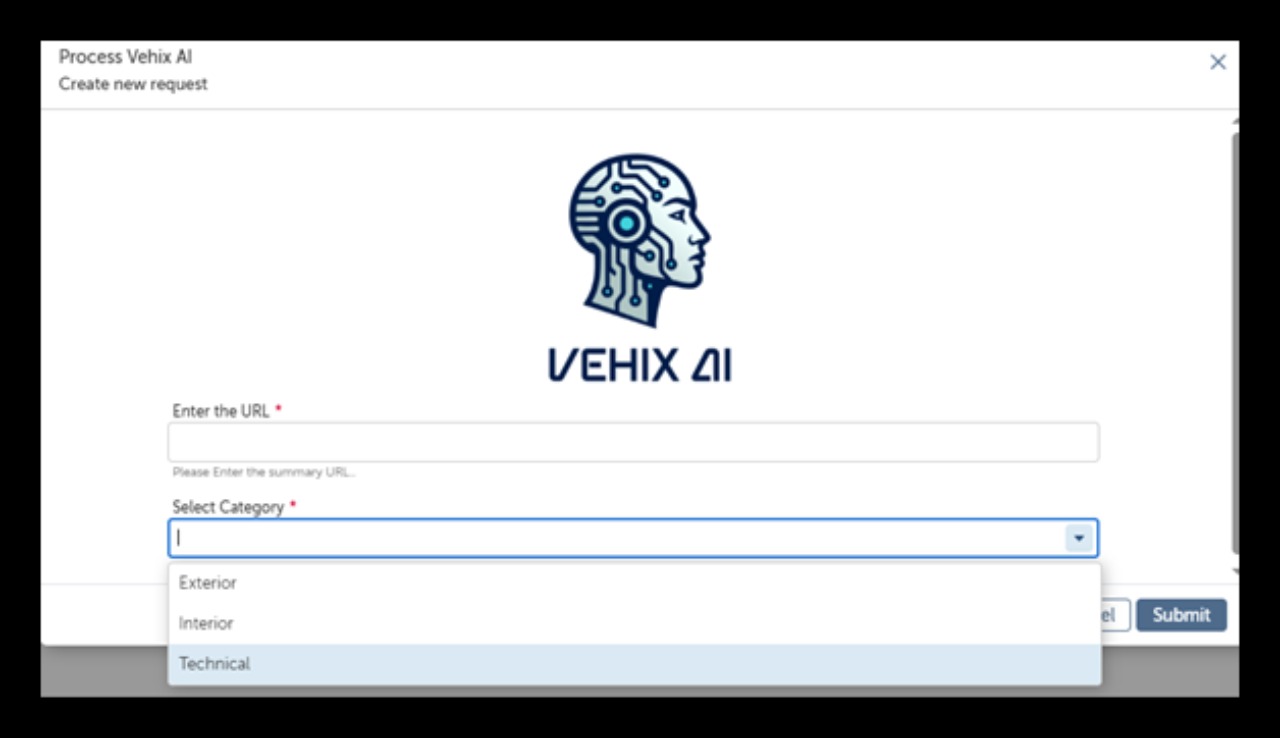
- Form:Input_UserForm-Allows users to input URL and select category for extraction
- Agent Role: JSON data extraction assistant specializing in vehicle configuration data.
Agent Description:
Vehix AI is an intelligent automation solution designed to streamline vehicle data extraction and reporting. It combines AI-powered language processing, web scraping, and structured JSON analysis to deliver accurate, actionable insights for automotive configurations. The agent supports multilingual input, ensures data standardization, and provides flexibility for users to extract specific categories like Technical , Exterior or Interior, or details from vehicle web pages.
Key Features & Value Proposition:
• AI-Powered Language Handling: Detects and translates non-English content into English for consistency.
• Dynamic Web Extraction: Uses Python Playwright to scrape entire vehicle configuration pages and outputs structured JSON.
• Advanced JSON Parsing: Extracts critical technical and feature-related data points using AI reasoning.
• Customizable Output: Allows users to select categories (Exterior, Interior, Technical) for targeted data extraction.
• Automated Reporting: Generates text reports and sends them to requestors automatically.
• Compliance & Accuracy: Ensures no invented data; missing fields are returned as null.

Success
The download of Vehix AI–Agentic Automation for Vehicle Data Extraction will begin shortly.
In your Control Room, use the ‘Import’ button to load the downloaded file into your Automations.
Free
- Ratings
-
5.0
 7
7
- Applications
-



- Business Process
- OperationsSupply Chain Management
- Category
- Artificial IntelligenceRPA Developer ToolsUtility
- Downloads
- 16
- Vendor
- Pathfinder Community
- Automation Type
- AI Agent
- Last Updated
- February 13, 2026
- First Published
- January 21, 2026
- Platform
- Automation 360
- ReadMe
- ReadMe
- Support
-
- Community Support Only
- Pathfinder Community Developer Forum
- Agentic App Store FAQs
- Bot Security Program
-
 Level 1
Bot Security
Level 1
- All automations on Agentic App Store have passed a malware scan.
Bot Security Program
Automation Anywhere Bot Security is the APA industry's first of its kind bot security framework. In partnership with cyber security experts, Bot Security encompasses four (4) progressive levels of security designation. All automations including those built in-house or procured from Agentic App Store, can now be deployed reliably with secure automation development practices in alignment with prevailing Confidentiality, Integrity, and Availability (CIA) cybersecurity principles and best practices. View full Bot Security details.
See the AI Agent in Action
Setup Process
Install
Download the AI Agent and follow the instructions to install it in your AAE Control Room.
Configure
Open the Bot to configure your username and other settings the Bot will need (see the Installation Guide or ReadMe for details.)
Run
That's it - now the AI Agent is ready to get going!
Requirements and Inputs
- python
- Playwright
Customer Reviews
